Most software reviews are written after a few hours of testing. This isn’t one of those reviews.
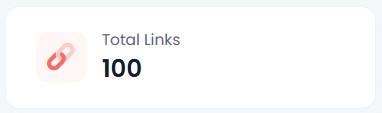
Since publishing my original Linko review that was followed up with a Linko vs. Switchy comparison, I’ve created more than 100 links, submitted nearly 20 support tickets, migrated to a branded domain, and accumulated enough data to see which features matter in real-world use.
Here is what I’ve learned.
I Submitted 20 Support Tickets. Most Were Implemented.
I submitted nearly 20 support tickets between bugs and feature requests. Most were implemented, and most of those within a day or two. Some took longer, which is expected when something needs to get worked into a development schedule. But more was implemented quickly than I expected, and that matters.
There is a practical side to this beyond just getting fixes. When you see your feedback turned into product changes, the relationship shifts. You feel like a participant in where the tool is going rather than a customer waiting on the sidelines. That strengthens loyalty and, honestly, it motivates me to keep sharing feedback and wanting the product to succeed.
Why Campaign and Channel Data Gets More Useful the Longer You Use It
Campaigns and Channels are Linko’s primary ways to categorize your links. They are fully customizable, and I thought they were useful features from the start. What I did not anticipate was how much more useful they would become once real data started accumulating.
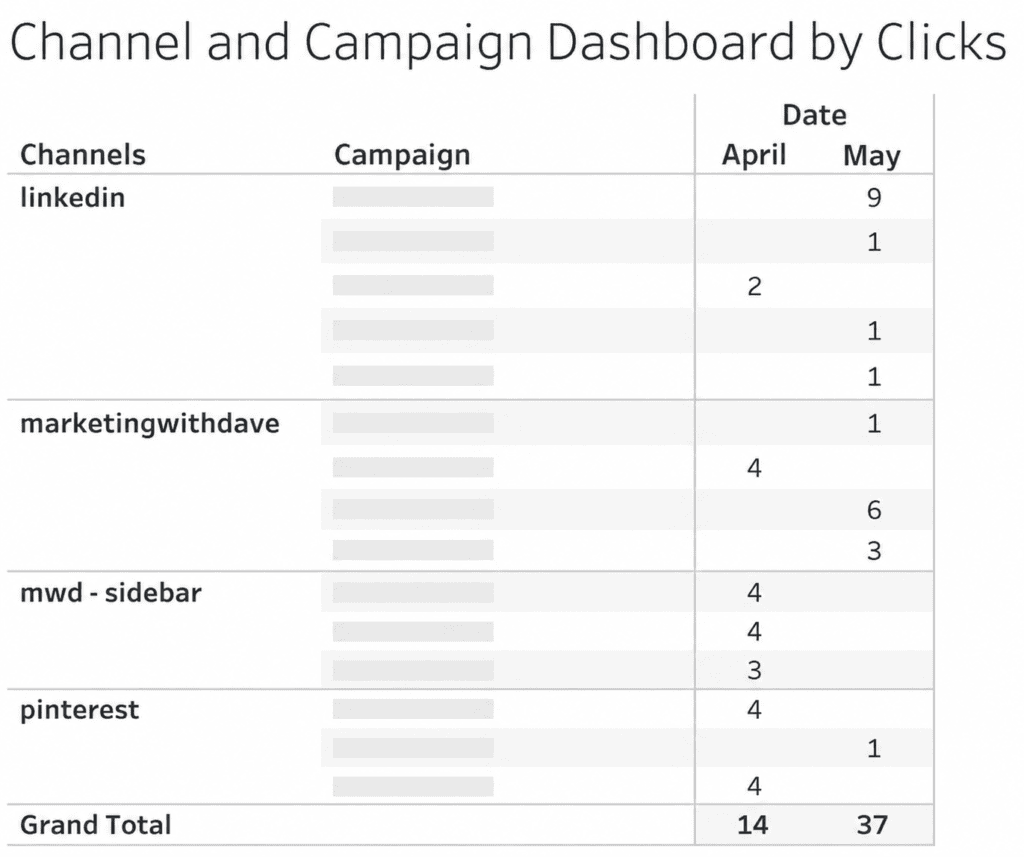
I export data from platforms and use Tableau to control my own visualization, so having clean, categorized data coming out of Linko makes that workflow significantly more useful. The chart I built from Linko’s exported campaign and channel data showed me things I would not have seen otherwise. These are not novelty features. Once you have data behind them, they become the reason you are glad you set them up properly from the beginning.
In April I recorded 14 tracked clicks. In May that grew to 37. More importantly, I could see exactly which channels and campaigns were driving those clicks.
The Domain Change I Resisted and Don’t Regret
When I first started using Linko, I used their pg.is domain. It was short, which I liked. Linko eventually retired that domain, which frustrated me initially.
Looking back, I am glad it happened. I am now on my own branded subdomain (go.marketingwithdave.com), and the setup was not nearly as much work as I expected. The Linko process for getting a custom subdomain configured was smooth. The links now reinforce my brand with every click, which the shared domain never did. The short-link convenience of pg.is was real, but it was not worth trading brand consistency for.
My Two Favorite Features Are Still My Two Favorite Features
When I was first evaluating Linko, two features stood out: the ability to filter out your own internal traffic and broken link detection.
Both are still at the top of my list.
Filtering internal traffic matters more than it sounds. If I do not want to collect test data every time I click my own links, I need to know those clicks are excluded. Without that, you are either introducing noise into your data or you are avoiding testing your links to keep the data clean. Linko removes that tradeoff.
Broken link detection is a feature I was excited about and still appreciate, though it took me a while to understand how it actually works. Linko runs automatic checks every five minutes, but with a priority system based on click volume. Links with fewer than 100 clicks are checked once every seven days. Links with more than 1,000 clicks are checked every 24 hours. The frequency scales with traffic in between.
Beyond Link Management
Most of my focus has been on link creation, which is the core function. But Linko includes bio pages, QR codes, and file hosting, and I have not done much with any of those yet.
For me, link tracking is the priority. The additional capabilities are there if I need them, and they are part of what makes this a broader platform than a pure link shortener. Whether that breadth justifies the price compared to something more narrowly focused is something I covered in the Linko vs. Switchy comparison. The short version: if link management plus bio pages, QR codes, and file hosting under one roof sounds useful, Linko is the stronger fit. If you mainly want retargeting pixels and you want to keep costs lower, that is where the tradeoffs start to show.
Bottom Line
After 100+ links, Linko has moved from “interesting AppSumo purchase” to part of my marketing stack. The link management is solid, the campaign tracking becomes more valuable as data accumulates, and the team has been unusually responsive to feedback. Not every feature is perfect, but very few lifetime deals earn a permanent place in my workflow. Linko has.
The team is responsive in a way that is rare. The campaign and channel data proved more valuable once real usage built up behind it. A couple of features have limits worth knowing before you buy, but neither is a deal-breaker.
This content is for educational purposes and reflects my experience, review of the product, and current publicly available deal information. Always evaluate tools based on your specific business needs, goals, and workflows before making a decision.
If you are comparing tools, see my Switchy vs Linko comparison for a side-by-side breakdown. If you want to know how Linko held up over time, I also shared my experience after creating 100+ links.
Short links are easy to underestimate until you need more than a URL cleaner. Once you start managing links across campaigns, channels, and use cases, the problem shifts from shortening to control, tracking, and flexibility.
Linko is built for that second layer. It combines link management, bio pages, QR codes, file hosting, redirect options, and custom tracking into a single platform.
If you want a link management platform with deeper functionality in bio pages, QR codes, file hosting, and redirect behavior, this marketing tool is worth a look. If your priority is low-cost entry, pixel integrations, and core link performance without paying for broader feature depth, that is where the trade-off starts to show.
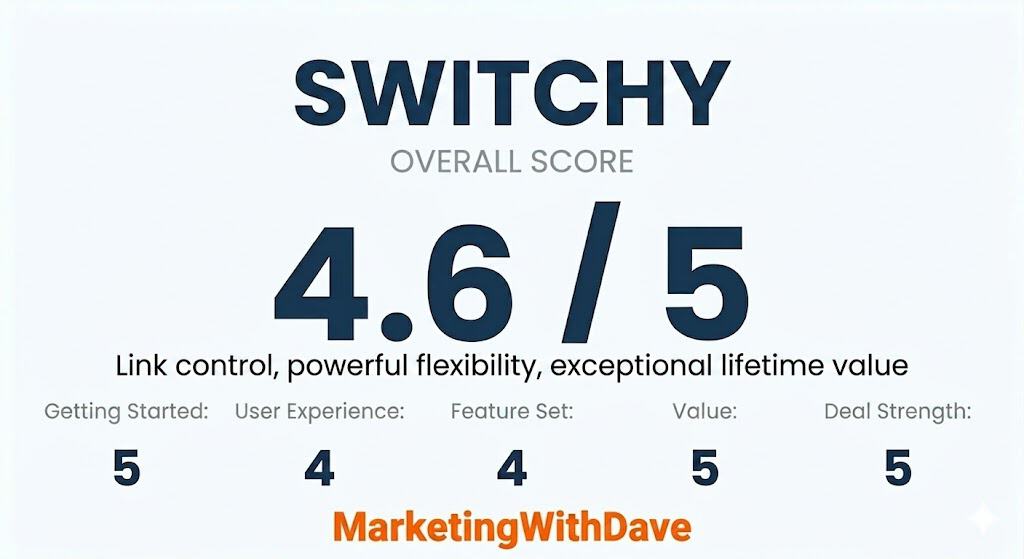
The overall score reflects both product quality and how compelling the current deal is.
Linko delivers a polished, feature-rich experience with strong usability and broad functionality. This is not a minimum viable product. The platform feels complete, stable, and ready to use across multiple use cases.
The final rating reflects a balance between that strong product experience and a few tradeoffs that matter before buying, including a higher price point, core features unlocked across tiers, and more limited third-party pixel integrations for advanced tracking.
Affiliate disclosure: If you buy through my affiliate link, I may earn a commission at no additional cost to you. I only share tools I believe are worth your time and consideration.
The 30-Second Decision
Best for: managing short links that need to be updated later, tracked across campaigns, or extended into bio pages, QR codes, and hosted assets.
Not ideal for: buyers who mainly want the lower-cost entry point, heavy third-party pixel integration support, or full feature depth without moving into higher tiers.
My take: Linko is one of the more complete link management platforms available. It prioritizes flexibility and breadth over low entry cost, which makes it a better fit for users who plan to use more than just basic link shortening.
At its core, Linko helps you create, manage, and extend short links across multiple use cases.
That includes bio pages, QR codes, hosted files, redirect controls, campaign organization, and custom tracking parameters, all within a single platform.
This is not a minimum viable tool trying to find its footing. It is a complete platform with multiple working use cases from day one.
This is not just about shortening links. It is about managing and extending them across campaigns, channels, and use cases in one place, instead of relying on multiple tools.
What Stands Out
The biggest strength of Linko is how much it brings together in one place.
Beyond basic link shortening, it extends into bio pages, QR codes, hosted files, redirect behavior, campaign organization, and custom tracking.
That range makes Linko a true link management system, not just a shortener with added features.
The platform does not feel like an early-stage product. It feels complete and usable across its core workflows.
Where It Has Real Marketing Value
If you are managing links across multiple channels, Linko can centralize workflows that are often spread across separate tools.
Instead of using one tool for shortening, another for bio pages, another for QR codes, and another for hosting assets, Linko combines those functions into one system.
This matters most when links are used across multiple channels and need to stay consistent, trackable, and easy to manage over time.
Custom Tracking Parameters Are More Flexible Than Standard UTMs
Linko supports the standard UTM structure most marketers already use, but it also goes further depending on the tier.
At Tier 1, you get six core tracking parameters:
utm_source, utm_medium, utm_campaign, utm_term, utm_content, and utm_id.
That sixth parameter, utm_id, is not always included by default in other tools and can be useful for more structured campaign tracking, especially when working across platforms or reporting systems that expect a unique identifier.
At higher tiers, Linko expands this further. Tier 2 allows you to create up to 10 custom UTM templates, and Tier 3 increases that to 20. This gives you the ability to standardize naming conventions, add additional parameters, and build more tailored tracking frameworks beyond the traditional five-field setup.
For basic campaign tracking, the default fields are more than enough. For more advanced workflows, especially those that rely on consistent naming structures or additional segmentation, the added flexibility becomes more valuable.
Bio Pages, QR Codes, and Hosted Assets Are Bigger Parts of the Story
Its bio page functionality is more central to the product, QR code support is more developed, and built-in file hosting adds a use case Switchy does not really try to serve. That makes Linko easier to understand as a broader utility platform.
This is one of the clearest reasons someone might choose Linko even at a higher price. If you want one platform that does more than branded redirects and pixel-based tracking, Linko makes a stronger case.
Redirect Controls and Link Behavior Are More Configurable
Another area where Linko stands out is redirect handling.
Linko supports multiple redirect types (301, 302, and 307), splash pages, direct links, cloaked links, and additional behavior controls that make the redirect layer feel quite flexible.
Pixel Integrations Are More Limited Today
Linko supports retargeting pixels, but its third-party integration coverage is still developing.
For most use cases, the current support will be enough. If your workflows depend heavily on a wide range of ad platforms or advanced retargeting setups, this is an area where Linko is not as strong today.
This reflects a newer platform that already delivers broad functionality, with deeper integrations likely to expand over time.
Analytics and Reporting
The analytics side of Linko looks useful, but I would frame it as practical rather than especially advanced.
As with much of Linko, the value is less about replacing a best-in-class specialist and more about combining enough functionality in one place.
Setup and Ease of Use
Linko feels approachable, especially for a product that spans multiple use cases.
The interface is one of its strengths. That is part of why it scored well in Getting Started and User Experience. Even when the product does a lot, it does not feel especially difficult to understand.
If you only need basic short links, some of this may feel like more platform than you need. If you want wider functionality in one place, the broader approach is a plus.
This content is for educational purposes and reflects my experience, review of the product, and current publicly available information. Always evaluate tools based on your specific business needs, goals, and workflows before making a decision.
Switchy and Linko are direct competitors in the link management category. Both platforms support short links, analytics, campaigns, and common marketing workflows. Where they differ is in how those features are delivered. Switchy focuses on performance, tracking, and core marketing functionality, while Linko expands into a broader set of tools with deeper feature sets in areas like bio pages, QR codes, and redirect options.
The difference is not whether these platforms overlap, but how that overlap shows up in practice. Switchy is more focused on link performance, tracking, and core marketing functionality, with strong support for third-party integrations and a lower entry price. Linko takes a broader approach, expanding into areas like bio pages, QR codes, and redirect options, often with more depth but with additional features unlocked at higher tiers. That difference becomes more noticeable when you look beyond feature checklists and consider how those features are implemented and where limitations appear.
If you want a deeper breakdown of how each tool works in practice, you can read the full Switchy review and Linko review. This page focuses on how they compare side by side so you can quickly decide which direction makes the most sense.
At a high level, the difference comes down to focus. Switchy is built around link performance, tracking, and optimization. Linko is built as a broader platform that combines link management with bio pages, QR codes, file hosting, and additional tools. The tables below break down where those differences actually show up in real use.
What Matters Most
This table highlights some of the biggest practical differences between Switchy and Linko. It is not meant to cover every feature. It is designed to surface the capabilities most likely to affect a real buying decision.
The difference in tracking parameters is worth calling out more specifically. Switchy supports the five standard UTM parameters used in Google Analytics: utm_source, utm_medium, utm_campaign, utm_term, and utm_content. Linko includes those same fields and also adds utm_id out of the box. In addition, Linko allows for expanded customization through templates, with Tier 2 adding 10 custom UTM templates and Tier 3 increasing that to 20. This makes Linko more flexible for advanced tracking setups, while Switchy stays focused on the standard UTM structure most marketers already use.
These differences become more clear when you look at feature coverage more broadly. The table below expands the comparison to include additional capabilities that may or may not matter depending on how you plan to use the tool.
Top 20 Features Comparison
This table looks beyond pricing and focuses on feature availability. It is designed to show where Switchy and Linko overlap, where they differ, and which platform includes certain capabilities out of the box.
Feature
Switchy
Linko
CTA overlays on destination pages
❌
✅
Transitional splash pages
❌
✅
Branded custom domains
✅
✅
Grouping and organization
✅
✅
CSV bulk import
✅
✅
API access
✅
✅
Embed third-party widgets
✅
❌
Browser extension
✅
✅
GDPR privacy popup
✅
❌
Export data
✅
✅
Link cloaking
✅
✅
Device-based redirection
✅
✅
Link expiration
✅
✅
Link click limits
✅
✅
Password-protected links
✅
✅
QR codes
✅
✅
IP allowlist
❌
✅
IP blocking
❌
✅
Dark mode
❌
✅
Bulk link creation
❌
✅
One important nuance is how each tool handles organization. Linko uses campaigns and channels, while Switchy relies more on folders, workspaces, and tags. Both approaches work, but they reflect a difference in how each platform is designed.
Pricing is another area where the difference in product focus becomes clear. Both tools offer lifetime deals, but they scale very differently.
Pricing Comparison (AppSumo Lifetime Deals)
This table compares the core AppSumo lifetime pricing tiers for Switchy and Linko. It focuses on entry cost, click limits, and how each product scales across tiers.
Tier
Switchy
Linko
What It Means
Tier 1
$39 / 30,000 clicks per month
$79 / 25,000 clicks per month
Switchy has a lower entry price and slightly higher click capacity.
Tier 2
$78 / 60,000 clicks per month
$158 / 100,000 clicks per month
Linko increases click capacity faster, but at a significantly higher cost.
Tier 3
$117 / 90,000 clicks per month
$237 / 500,000 clicks per month
Linko scales to much higher limits, while Switchy remains more affordable.
Higher tiers
Additional stacking available
Not available
Switchy continues beyond Tier 3, while Linko stops at this level.
The key difference in pricing is how each product scales. Switchy offers a lower cost of entry and more gradual scaling, while Linko becomes more expensive quickly but unlocks higher limits and additional features at upper tiers.
Same Category, Different Approach
On paper, Switchy and Linko check many of the same boxes. Both platforms support link shortening, tracking, campaign management, and common marketing use cases. In a feature table, that often shows up as a long list of matching capabilities.
In practice, the difference is in depth and focus. Linko expands many of these features into more configurable or feature-rich implementations. Its bio pages are more customizable, its QR code capabilities are more developed, and it offers a wider range of redirect options. However, many of these features are limited to higher pricing tiers.
Switchy takes a more focused approach. Instead of expanding into as many adjacent features, it prioritizes link performance, tracking, and integrations. This is most visible in its support for third-party pixels and its ability to deliver core functionality at a lower entry price.
The result is a clear tradeoff between breadth and efficiency. Linko offers more built-in tools and deeper feature sets in certain areas, while Switchy delivers a more streamlined and cost-efficient solution centered on marketing performance.
This is why the decision is less about which tool has more features, and more about which type of tool you actually need.
Which Tool Is Right for You?
Switchy and Linko can both handle core link management tasks, but they are built for slightly different types of users. The right choice depends less on feature lists and more on whether you need a focused performance tool or a broader all-in-one platform. For many users, Switchy’s entry tier covers most core use cases, especially for link tracking, campaign measurement, and retargeting workflows.
Choose Switchy if:
You want a focused tool for link tracking, performance, and marketing use cases. Switchy stands out for its strong third-party pixel integrations, clean approach to UTM tracking, and ability to deliver core functionality at a lower entry price. If your priority is optimizing links, tracking campaigns, and keeping things efficient without paying for features you may not use, Switchy is the better fit.
Choose Linko if:
You want a broader all-in-one platform that goes beyond link shortening. Linko offers deeper functionality in areas like bio pages, QR codes, file hosting, and redirect options. If you value having more built-in tools in one place and are comfortable moving into higher tiers to unlock additional features, Linko provides more flexibility.
In practical terms, Switchy is more specialized and efficient, while Linko is more expansive and feature-rich. The better choice depends on whether you want a focused tool for performance or a broader platform with more built-in capabilities.
If you want a deeper look at how each tool performs in real-world use, see the full Switchy review and Linko review.
Final Thoughts
Switchy and Linko solve the same problem, but prioritize different things. Switchy focuses on performance, tracking, and delivering core functionality efficiently. Linko focuses on expanding the platform with additional tools and deeper feature sets across multiple areas.
That makes this less about which tool is better and more about which approach fits your workflow. If your focus is on link performance and marketing use cases, Switchy is the more streamlined option. If you prefer having more tools in one platform and are willing to scale into higher tiers, Linko offers more built-in flexibility.
Short links are simple until performance, tracking, and control start to matter. Once you are running campaigns, testing variations, or managing traffic across channels, the problem shifts from shortening links to optimizing them.
Switchy is built for that layer. It focuses on link performance, retargeting, tracking, and control, rather than trying to combine multiple adjacent tools into one platform.
I have owned this tool for six years, and while I have not used it heavily lately, my impression is still mostly positive: Switchy is strong at the core job it was built to do. The bigger questions are less about capability and more about product momentum, support polish, and whether some older features still feel current.
If you want a lifetime branded link manager with more control than a basic shortener, this deal is worth a look. If you are expecting a modern all-in-one bio link platform or a deep analytics suite, this is probably not the right lens.
The overall score reflects both product quality and how compelling the current deal is.
A score in the low 4 range reflects a strong core tool with real value, but also a few limitations or maintenance concerns worth knowing before you buy.
Affiliate disclosure: If you buy through my AppSumo link, I may earn a commission at no additional cost to you. I only share tools I believe are worth your time and consideration.
The 30-Second Decision
Best for: marketers, agencies, creators, and website owners who want branded short links, retargeting pixels, cleaner campaign URLs, and more control over where clicks go.
Not ideal for: anyone who mainly wants enterprise-grade analytics or a tool that feels clearly under active feature expansion in every corner of the product.
Entry price: AppSumo Tier 1 starts at $39 lifetime for 30,000 clicks per month, 8 custom domains, 2 Smartpages, and 10 team members.
Risk window: 60-day refund through AppSumo.
My take: Switchy is a focused, performance-driven link management tool. It does not try to be an all-in-one platform. Instead, it prioritizes tracking, retargeting, and control, which makes it a strong fit for users who care about how links perform after they are created.
At its core, Switchy helps you make shared links cleaner, more branded, and more useful.
That includes shortening links, customizing social share previews, attaching retargeting pixels, adding UTMs, creating QR codes, and setting redirect logic based on factors like geography, device, operating system, expiration rules, and click limits.
That is the real value here.
This is not just about making a long URL prettier. It is about turning shared links into something you can track, brand, segment, and reuse across campaigns.
For marketers running social posts, email campaigns, creator partnerships, offline materials, or paid traffic tests, that can be very useful.
Switchy is not designed to replace multiple tools or expand into adjacent use cases like bio pages or file hosting. It is designed to make links more measurable, controllable, and effective.
What Stands Out
The biggest strength of Switchy is control.
Switchy stands out by focusing deeply on link performance, retargeting, and tracking, rather than spreading functionality across multiple adjacent areas.
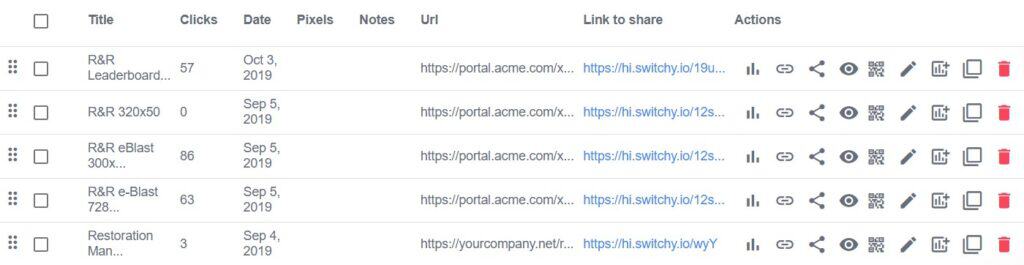
When creating a link, you can do much more than assign a destination URL. You can set a branded domain, edit the title and description that appear when the link is shared, upload a custom image, add retargeting pixels, apply UTMs, organize links into folders, attach notes and tags, enable deep linking, create redirect rules, protect a link with a password, and even add a GDPR popup.
That is a lot of flexibility for a low one-time price.
It is also one reason Switchy still feels relevant. Many short link tools cover the basics. Fewer give you this level of built-in control without pushing you toward a recurring subscription.
That focus is what makes Switchy feel practical. It is not trying to do everything. It is trying to make links perform better.
Where It Still Has Real Marketing Value
If you share links often, especially across multiple channels, Switchy can create cleaner campaign discipline.
You can create different branded links to the same destination for social, email, partnerships, print, or paid campaigns and keep them separated. That alone makes performance easier to interpret later.
It also supports the five classic UTM parameters most marketers actually use: campaign, medium, source, term, and content.
For most people, that is enough.
The limitation is that measurement has evolved. Google has introduced additional traffic tagging conventions in some contexts, and Switchy appears more rooted in the original UTM framework than the newest edge cases. That will not matter to everyone, but it is worth noting for more advanced analytics users.
Custom Domains Are a Big Part of the Appeal
One of the best reasons to use Switchy is the ability to run links from your own branded domain or subdomain.
That gives your shared URLs more trust, better recognition, and more consistency across channels. Instead of sending someone to a generic shortener domain, you can send them through something that still looks like your brand.
That is a small detail on the surface, but it matters more than people think when links are being shared in social posts, DMs, email, presentations, or print materials.
Retargeting and Redirect Controls Are the Real Differentiators
This is where Switchy separates itself from a very basic shortener.
You can attach retargeting pixels to links, run A/B rotators, use deep linking, and build redirect logic based on geography, device, or operating system. There is also support for expiration-based redirects, click-limit redirects, 404 redirection, and direct sharing.
It is worth clarifying how the retargeting actually works.
Switchy does not place a pixel on your website. Instead, it fires your pixel during the redirect when someone clicks your link. The user briefly passes through a Switchy-controlled redirect, your pixel fires, and then they land on the final destination.
This allows platforms like Pinterest, Meta, or Google to build remarketing audiences based on link clicks, even when you do not control the destination, such as affiliate links or third-party web pages.
The trade-off is that this is limited to click-level tracking. It does not capture deeper behavior like page views, conversions, or onsite engagement.
If your use case is purely “make this URL shorter,” that is overkill.
If your use case is “make links a more intentional part of campaign execution,” that is where Switchy earns its keep.
Smartpages Exist, But They Are Not the Reason I Would Buy This
Switchy includes Smartpages, which are essentially lightweight landing pages intended for social bios or simple mobile-first destinations.
This feels like one of the less compelling parts of the product in 2026.
It is not the same thing as a more modern link-in-bio experience where one link becomes a polished destination for many links, creator modules, and ongoing audience engagement. Switchy’s Smartpages feel closer to a compact promotional home page with a few key blocks and contact methods.
That may still be enough for some users, but I would treat Smartpages as an extra, not a deciding feature.
If your main evaluation is around link-in-bio tools, I would compare this directly against more purpose-built alternatives before buying.
My Experience With the Analytics Side
The analytics are useful, but I would describe them as practical rather than deep.
Switchy gives you headline metrics like clicks, users, referrers, devices, and countries, along with charts and supporting breakdowns. That is enough to answer basic campaign questions and spot directional performance.
With what is provided, the analytics are more of a quick monitoring layer than a serious analysis environment.
That does not make it worthless. It just means the value is really in link control first and reporting second.
Setup and Ease of Use
Switchy is fairly approachable for a tool with this many options.
The main dashboard and link creation workflow make it clear that this product was built around practical marketer needs: custom domains, share previews, UTMs, pixels, notes, tags, and redirect logic are all surfaced in the link settings workflow.
I would not call the interface cutting-edge, but I would call it functional and capable.
If you only need basic short links, some of this may feel like too much. If you want flexibility, the breadth is a plus.
No software is perfect. The real question is whether a tool covers enough of your actual workflow to justify the price.
With Switchy, that answer will be yes for most marketers. Some peripheral areas feel more maintained than actively evolving, but the core link management functionality is where this tool earns its value.
Plans and Pricing
AppSumo’s current lifetime tiers are aggressive.
Tier 1 starts at $39 and includes 30,000 clicks per month, 8 custom domains, 2 Smartpages, and 10 team members.
Higher tiers raise clicks, custom domains, Smartpages, and team limits. Core capabilities like messenger links, multiple workspaces, full tracking, GDPR popup, 404 redirection, direct sharing, tags management, link rotator, georedirection, deep links, embed widgets, notes, and the Chrome extension are included across tiers.
That is a lot for the price.
If your workflow depends on managing branded links across multiple websites or clients, the lifetime structure is still one of the strongest selling points here.
Review sentiment is strong overall, and that aligns with the part of the product I still find most compelling.
Users consistently praise ease of use, flexibility with custom domains and subdomains, dependable core link management, and useful extras like QR code generation. Some also describe it as a staple tool they continue using years later.
That said, the review summary also mentions occasional concerns around link identification and support response time. That matches the caution I would bring to this deal: the core product appears strong, but I would not assume best-in-class polish around every supporting touchpoint.
Why I Would Recommend It
The core value proposition is still useful: branded short links with more control than a basic URL shortener.
Retargeting pixels, redirect rules, deep linking, UTMs, and custom share previews make it more than just a vanity link tool.
Custom domains and campaign-specific links can create cleaner, more disciplined marketing operations.
The lifetime deal is still compelling for agencies, creators, and marketers managing multiple campaigns or websites.
What To Watch Out For
Smartpages feel dated and should not be the main reason you buy this.
The analytics are helpful, but not deep enough to replace a real reporting stack.
Some surrounding product and support surfaces feel less polished than the core link feature set.
Advanced users may eventually want more flexibility around newer campaign tagging conventions than the standard five UTM fields.
Retargeting is limited to click-level tracking and depends entirely on external ad platforms for audience creation and campaign execution.
Bottom Line
Switchy is built for performance, tracking, and control. It does not try to replace multiple tools. It focuses on making links more effective.
If you only need basic short links, this will likely feel like more than you need. If you care about retargeting, tracking, and how links perform across campaigns, Switchy makes a strong case.
The value comes from how much you prioritize performance over broader functionality.
If your workflows depend on tracking and integrations, Switchy is easier to rely on than outgrow.
This content is for educational purposes and reflects my experience, review of the product, and current publicly available deal information. Always evaluate tools based on your specific business needs, goals, and workflows before making a decision.
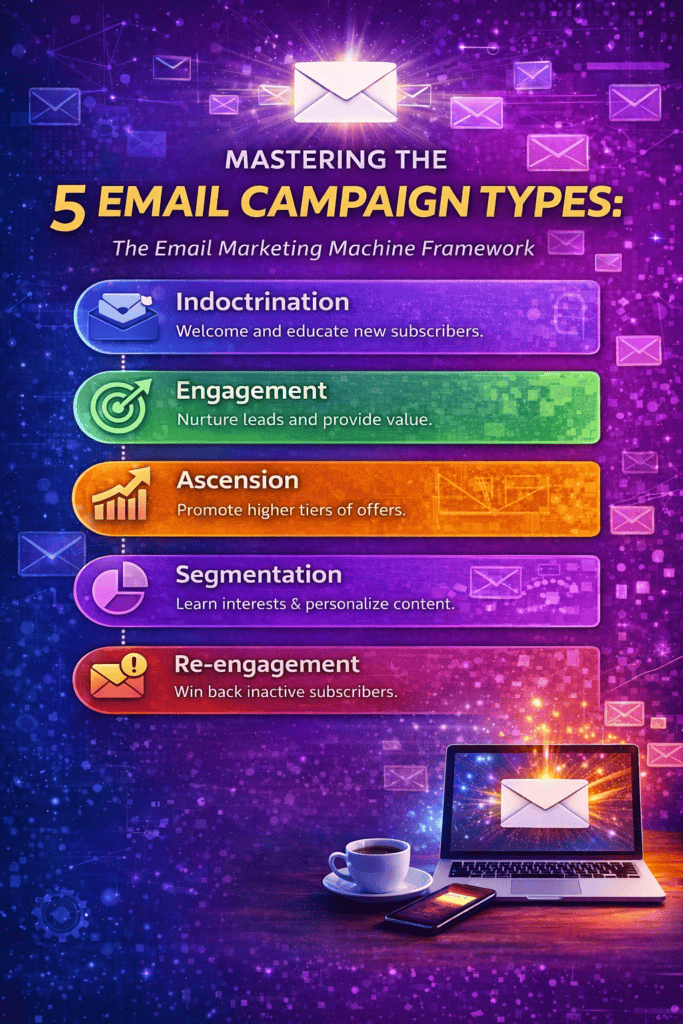
In email marketing, experts often classify campaigns into five main types:
Indoctrination
Engagement
Ascension
Segmentation
Re-engagement
This five-stage framework was popularized by marketing expert Ryan Deiss (founder of DigitalMarketer and author of Invisible Selling Machine), who outlined it in a 2014 blog post. Each campaign type corresponds to a different stage of the subscriber journey – from a brand-new signup to a dormant customer – and together they form an “Email Marketing Machine.”
In this post, we’ll explain each type, give a concrete example and an outline to follow for creating it, and share key stats, best practices, and tips. (B2B and B2C marketers can apply these concepts interchangeably; the examples will cover both contexts.)
Indoctrination Emails
Example: A newly-registered user for a cloud storage service receives a welcome email from Apple iCloud. Indoctrination campaigns (often called welcome series) are sent immediately after someone subscribes or signs up. Their goal is to welcome and educate the new subscriber about your brand, reinforcing that they made a good choice joining your list. For instance, a software startup might send a 2-3 email series: an initial thank-you and brief intro, followed by content that highlights company values or top features. Indoctrination emails should:
Welcome and introduce new subscribers to your brand.
Reinforce the benefits of being on your list.
Set expectations (what kinds of emails and how often they’ll receive).
Tell them what to do next, e.g. explore a resource or check out your home page.
Showcase your brand voice and personality.
Outline:
1. Subject line: Friendly greeting (e.g. “Welcome to [Brand]!”) that reminds them why they signed up.
2. Body: Thank them and briefly explain who you are and why your brand matters. Include a clear statement of what value they’ll get (e.g. exclusive content, special discounts).
3. Expectations: Explain how often you email and what topics they’ll hear about.
4. Call to action (CTA): Encourage a small next step (e.g. “Visit your dashboard” or “Check out our most popular guide”).
5. Signature/Branding: Use your logo, brand colors and voice throughout so the email feels cohesive.
Best practices: Write in a warm, personal tone and keep content concise. Include one clear CTA per email. Mobile-optimize your design (over 80% of emails are opened on mobile) and use brief paragraphs and buttons that are easy to tap. Don’t push a sale too early – instead focus on building trust.
Engagement Emails
Example: After downloading a whitepaper, a lead gets this HubSpot email offering a relevant webinar. Engagement campaigns are triggered by a subscriber’s action and are designed to move them closer to a conversion. For example, if a webinar attendee downloads a guide on SEO, you might send a follow-up email series promoting your SEO training course. These emails are interest-based and should prescribe the next logical step based on what you know about the subscriber.
Outline:
1. Trigger: Identify a subscriber action (e.g. clicked a link about topic X, made a small purchase, or signed up for an event).
2. Subject line: Reference that action/interest (e.g. “Next steps on [Topic]” or “Since you downloaded [Guide]…”).
3. Body: Acknowledge their action and offer something relevant (a product, a deeper content piece, a webinar, etc.) that fits their interest. Use social proof or benefits to persuade.
4. CTA: A clear call (e.g. “Get started,” “Register now,” or “Read the full article”).
5. Follow-up: Plan a short sequence (2–3 emails) that builds urgency or additional value (like a reminder or testimonial).
Best practices: Ensure your offer truly matches the lead’s interest – otherwise you risk annoying them. Reference their previous action explicitly to personalize the message. Keep the ask appropriate: don’t push for a purchase if they’re still just learning about you. Use one primary CTA button and include secondary text links for safety. Test subject lines and button copy. According to benchmarks, triggered emails like these average around a 45% open rate, higher than generic newsletters.
Ascension Emails
Example: A customer who just bought a basic WordPress theme receives an upsell email from StudioPress offering a theme bundle. Ascension campaigns target customers right after a purchase (or conversion) to encourage them to buy more or upgrade. The idea is to “ascend” buyers to higher tiers of value. For instance, if someone buys a monthly subscription, you might email them with a special offer to upgrade to an annual plan, or add-on services. Ascension emails should:
Thank them for their purchase and reinforce the positive choice.
Offer a logical upsell or cross-sell (a related product, premium version, or service).
Use social proof or success stories to justify the upsell (e.g. “80% of our members eventually upgrade”).
Include a strong CTA (e.g. “Upgrade now and save 20%”).
Make timing clear: Send soon after the initial purchase, when excitement and goodwill are high.
Outline:
1. Subject line: Reference their recent purchase (e.g. “You might like this too…” or “Upgrade your [product] experience”).
2. Body: Express appreciation (“Thanks for being a customer!”) then introduce the next offer. Focus on benefits (“Get [advantage] with our premium plan”) not just features.
3. Proof: Include a testimonial or number (“Join 1,000+ users who upgraded”).
4. CTA: Prominent button linking to the upsell page (consider adding a limited-time discount to encourage quick action).
5. Conclusion: Close with a reminder of how easy it is to upgrade or the deadline of the offer.
Best practices: Don’t be pushy: ensure the upsell genuinely adds value. Keep the email concise, with one main CTA. It’s often effective to send 2–3 emails in an ascension series, gradually increasing incentive (e.g. first email invites, second reminds of limited time). Use order data to personalize (mention the product they bought). Also ensure formatting is clean and mobile-friendly. Many companies find that ascension series significantly increase customer lifetime value.
Segmentation Emails
Example: Marriott sends an email listing travel packages (beach, city, adventure, family) and asks users to click their top interest, so it can send more targeted deals. A segmentation campaign is a broadcast email sent to your entire list (or a broad segment) with the goal of learning more about subscriber interests. Essentially, you give recipients choices and then split your list based on their clicks or responses. For example, an online retailer might email all customers with product categories (“Shoes,” “Bags,” “Clothing,” “Accessories”) and use the click data to tag each subscriber for future targeted campaigns.
Outline:
1. Audience: Often sent to your full list or a large segment (e.g. “All Subscribers”).
2. Subject line: Pose a question or tease choices (“Which [Category] are you most interested in?”).
3. Body: Briefly explain that you’d like to tailor your emails. List clear options (can be text links or big buttons/images for each category). E.g. “What topics help you most? (Click one)”.
4. Interaction: Use unique tracking links for each option so your ESP can auto-tag the subscriber’s interest.
5. Follow-up: Immediately after, trigger tailored follow-ups to each group (e.g. send Product A offers to those who clicked “Option A”).
Best practices: Keep the choices limited (3–5 maximum) to avoid choice paralysis. Make each option’s CTA obvious and large (buttons or images). Clearly explain why you’re asking (“Help us send only the emails you care about”). Segmentation emails can dramatically boost engagement: segmented campaigns drive 30% more opens and 50% more clicks than non-segmented ones. Also, ensure each segment’s follow-up is timely and relevant, so subscribers immediately see the benefit of having self-segmented.
Re-engagement Emails
Example: LinkedIn sends a “We noticed you haven’t opened our emails in a while” message to inactive subscribers, offering to adjust preferences or re-subscribe. Re-engagement (or win-back) campaigns target subscribers who have become inactive (no opens or clicks for 1–2 months). The goal is to recapture their interest or gracefully clean your list. For instance, a retailer might offer a one-time discount to customers who haven’t purchased in 6 months, or a newsletter might ask inactive readers if they still want to receive updates.
Outline:
1. Segment: Identify inactivity (e.g. hasn’t opened in 60 days).
2. Subject line: Make it personal and intriguing (“We miss you, [Name]!” or “Is this goodbye?”).
3. Body: Remind them why they subscribed and mention what they’ve been missing. Offer an incentive or fresh content (“Come back for 20% off!” or “Check out what’s new”).
4. CTA: A clear button (e.g. “Reactivate my account,” “See what’s new,” or “Take me back”).
5. Final reminder: If using multiple touches, send 1–2 follow-ups. Promise they’ll be removed if they still don’t engage, to justify urgency.
Best practices: Keep the tone friendly and remind them of past value rather than blame them. Make the offer clear and appealing. Use only one CTA and avoid clutter. Strong re-engagement campaigns see 30–50% open rates, much higher than normal. If there’s still no response after 2–3 tries, it’s better to remove them to protect deliverability. Also, remind customers they can always re-subscribe later, to keep the exit courteous.
Other Email Campaign Types to Consider
Beyond these five core categories, marketers often use other email types:
Transactional Emails: Order confirmations, receipts, shipping notices, password resets, etc. These are mandatory service messages, not salesy. They have extremely high open rates (~80–85%. Keep them concise and on-brand. You can subtly include related product recommendations, but the main goal is clarity and customer service.
Newsletter/Content Emails: Periodic newsletters or content digests that provide value (blog posts, tips, news). These keep your audience engaged long-term. Use a single-column layout, one main theme per email, and one CTA (e.g. “Read More”). Segment if possible (e.g. separate B2B and B2C editions). Newsletter CTRs typically range from 2–4%, so focus on engaging headlines and mobile-friendly design.
Cart Abandonment/Reminder Emails: For eCommerce, emailing people who left items in their cart can recover lost sales. For example, send one reminder 1 hour after abandonment, another after 24 hours, and a final after 72 hours. Use images of the abandoned products and a clear “Complete Your Purchase” CTA. Studies show three abandonment emails can drive ~69% more orders than just one, recovering up to 30% of lost sales.
Lifecycle/Anniversary Emails: Triggers based on dates or milestones (welcome anniversaries, birthdays, subscription renewals). For example, sending a birthday email with a special offer can generate significantly higher response (one study found birthday emails drove a 481% increase in transactions compared to generic emails. Always personalize and make these feel special.
Feedback/Survey Emails: After a purchase or event, ask for feedback (e.g. a Net Promoter Score or short survey). Keep it brief and mobile-optimized. You might offer a small incentive (“Get 10% off next order”) to boost response. Use the answers to improve segmentation and service.
Design and Implementation Tips
Across all email types, follow these design best practices: use a clear, branded template with one main CTA button above the fold. Limit each email to a single-column layout if possible and a single primary message. Write concise copy and use bullet points or subheads to break up text. Always include a preview text (preheader) along with your subject line. Optimize for mobile (over 80% of opens happen on smartphones, use large fonts, tappable buttons, and scale images properly. Include descriptive alt text for images. Personalize where you can (first names, tailored content) to increase engagement. And don’t forget compliance: always include a visible unsubscribe link and honor opt-outs immediately.
Sources
This framework of five email types is based on Ryan Deiss’s “Email Marketing Machine” approach. The examples, stats, and best practices come from recent industry research and reports and email marketing blogs. All performance statistics are from 2023–2025 sources to ensure up-to-date guidance.
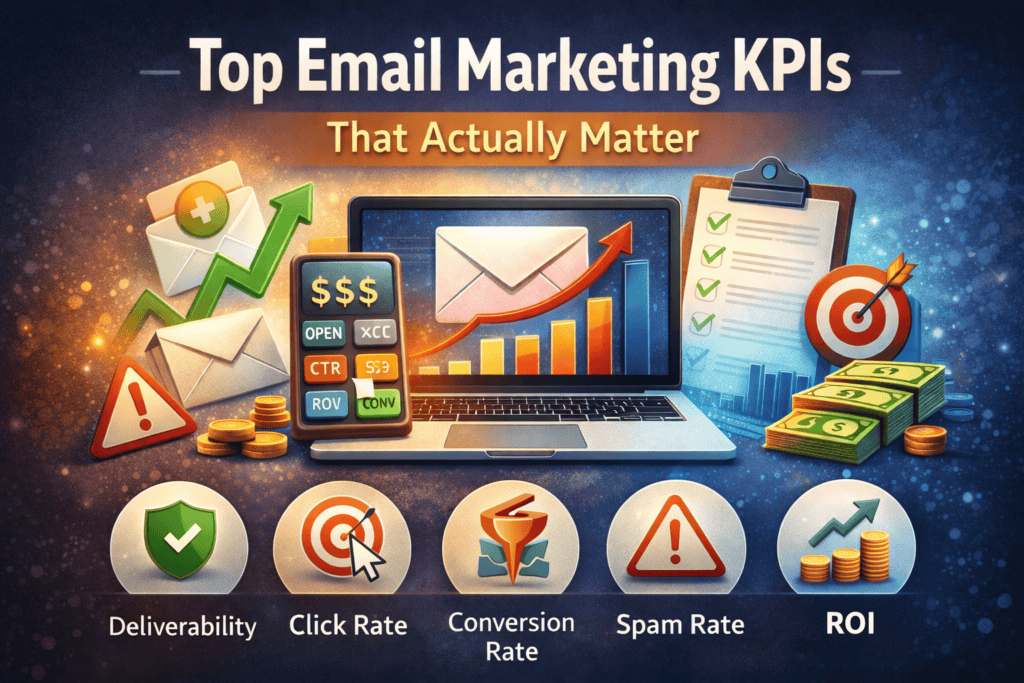
Email marketing remains one of the most effective channels for businesses, but tracking every metric available can lead to data overload. Not all metrics are created equal. Some are mere “vanity metrics”—numbers that look impressive but offer little strategic value.
Instead, marketers should focus on a core set of key performance indicators (KPIs) that directly impact engagement, conversions, and revenue. Email marketing can generate over $10 billion (with a “B”) in revenue, with an average return on investment of about $36 for every $1 spent (3600% ROI). Given this potential, it’s crucial to concentrate on the KPIs that truly matter for your email campaigns.
Essential Email Marketing KPIs
Deliverability Rate (Bounce Rate)
Deliverability rate measures the percentage of emails that successfully reach subscribers’ inboxes. It is essentially the inverse of the bounce rate (emails that could not be delivered).
It’s calculated as (Number of bounced emails / Number of emails sent) × 100%.
A good bounce rate is under 2%, which means you’re achieving about 98% deliverability. This KPI matters because if emails aren’t delivered, they can’t be opened or clicked. High bounce rates can harm your sender reputation and skew your other metrics (since undelivered emails aren’t giving you any engagement data). Keeping your list clean by removing invalid addresses (especially those that “hard bounce”) is essential to maintain a healthy deliverability rate.
Open Rate
Open rate is the percentage of delivered emails that recipients opened.
It’s calculated as (Emails opened / Emails delivered) × 100%.
Historically, an open rate of around 20% to 40% was considered a good benchmark, indicating effective subject lines and send times. However, due to privacy changes, this metric has become less reliable. Apple’s Mail Privacy Protection (MPP), introduced in 2021, automatically pre-loads email content (including tracking pixels) even if the user doesn’t actually open the email. This causes inflated open rate numbers.
In other words, your reports might show sky-high opens that aren’t reflecting real engagement. While you should still monitor open rate trends (e.g., sudden drops or increases), don’t rely on open rate alone to judge success. Instead, use it alongside other engagement metrics (like clicks and conversions) and pay more attention to the direction of your open rate over time rather than the absolute percentage.
Click-Through Rate (CTR)
Click-through rate (CTR) is the percentage of email recipients who clicked at least one link in your email.
It’s calculated as (Number of clicks / Number of emails delivered) × 100%.
CTR shows how engaging your email content and call-to-action are, since it measures the step beyond just opening. On average, email campaigns see around a 2% overall CTR, and marketing-specific emails average about 1.8% CTR. If your CTR is higher, that’s a strong sign your content resonated. If it’s lower, you may need to work on more compelling content or clearer calls-to-action.
To improve CTR, ensure your email copy is relevant and your buttons or links stand out with an enticing offer. Also, remember that CTR is influenced by open rate to an extent. If nobody opens the email, they can’t click. So a good subject line (to drive opens) paired with engaging content (to drive clicks) works hand-in-hand to boost CTR.
Conversion Rate
Conversion rate is the percentage of email recipients who took the desired action after clicking through your email. “Conversion” can mean making a purchase, signing up for an event, filling out a form, or any goal you set for the campaign.
It’s calculated as (Number of people who completed the goal action / Number of emails delivered) × 100%.
This is one of the most critical KPIs because it directly ties your email to tangible results. Average email conversion rates are typically a few percent; for example, automated emails can see roughly 1% to 5% conversion rates on average (some high-performing campaigns achieve even higher).
If your conversion rate is low, consider optimizing the landing page your email links to, aligning your email content better with the offer, or segmenting your audience so the right people get the right message. Even small lifts in conversion rate can significantly boost your return on email marketing, since this metric translates directly into revenue or goal completions.
Unsubscribe Rate
Unsubscribe rate is the percentage of recipients who opt out of your mailing list after an email campaign.
It’s calculated as (Number of unsubscribes / Number of emails delivered) × 100%.
While some list churn is normal, you want this number to be as low as possible. Industry benchmarks show an average unsubscribe rate around 0.1%–0.2% for eCommerce emails. A sudden spike in unsubscribes can signal that your content or frequency is missing the mark with your audience. Monitoring unsubscribe rate helps you gauge overall list satisfaction; if it creeps up, it may be time to adjust your email content, targeting, or send frequency.
To keep unsubscribe rates low, always deliver relevant, valuable content and avoid blasting your entire list with emails that only appeal to a segment of your audience. Also, ensure subscribers have control over their subscription (for example, allow them to manage preferences) so those who aren’t interested can opt down to fewer emails instead of leaving entirely.
Spam Complaint Rate
Spam complaint rate is the percentage of recipients who report your email as spam.
It’s calculated as (Number of spam complaints / Number of emails sent) × 100%.
This metric is crucial for monitoring your sender reputation. Email service providers (like Gmail) heavily factor spam complaints into whether future emails land in the inbox or get diverted to spam folders. Aim to keep your spam complaint rate below 0.1% (one-tenth of one percent). A rate higher than that can quickly jeopardize your deliverability across the board.
High spam complaints usually indicate recipients weren’t expecting your message or found it irrelevant or misleading. To avoid complaints, always send to people who have explicitly opted in, set clear expectations about what content they’ll receive, and make it easy to unsubscribe (it’s better they leave your list than mark you as spam). Keeping content relevant and not over-emailing subscribers will also help minimize the chance of complaints.
List Growth Rate
List growth rate tracks how fast your email list is growing (or shrinking). It accounts for new subscribers added and subtracts those who unsubscribed or bounced.
It’s calculated as (Number of new subscribers – Number of lost subscribers) / Total subscribers × 100%
List growth rate is typically measured over a period like per month. A healthy list growth rate shows you’re continuously expanding your reach to offset natural attrition. A common target is about 2.5% growth per period, though this can vary by organization. If your list growth rate is negative or very low, it means you could be losing subscribers as fast as you gain them, which will eventually hurt your email marketing results.
Improve list growth by making sign-ups easy and appealing—for instance, include clear email sign-up calls to action on your website, offer incentives (like a discount or useful downloadable content) for joining your list, and encourage satisfied customers to share or refer others. Remember, a larger list isn’t automatically better unless those subscribers are engaged, so focus on quality growth (attracting people who genuinely want to hear from you).
Return on Investment (ROI)
Email ROI measures how much revenue you earn from your email campaigns relative to what you spend on them. It’s often expressed as a ratio or percentage.
It’s calculated as (Total revenue from email campaigns / Total cost of email campaigns) × 100% to get an ROI percentage.
For example, if you spent $500 on email marketing in a month and it generated $5,000 in sales, your ROI is ($5,000/$500) × 100% = 1000%. Industry data shows email marketing’s ROI is exceptionally high, averaging around 3600% (meaning about $36 earned per $1 spent). This makes ROI one of the ultimate KPIs that demonstrates the value of email marketing. Tracking ROI helps you justify your email budget and optimize spend. If certain campaigns or list segments yield a higher ROI, you can allocate more resources to those.
To improve ROI, focus on strategies that increase conversion and customer lifetime value from emails (such as better segmentation, personalized content, and upsell/cross-sell campaigns) while keeping costs in check. Ultimately, ROI ties together many of the other KPIs: by improving deliverability, engagement, and conversion metrics, you will see the payoff in your email ROI.
Summary of Key Email KPIs
The table below summarizes the top email marketing KPIs and their typical benchmarks:
KPI
How to Calculate
Good Benchmark
Deliverability Rate
(Delivered emails / Sent emails) × 100%
≥ 98% (Bounce Rate ≤ 2%)
Open Rate
(Opens / Delivered emails) × 100%
20–40% (typical range; note: can be inflated by MPP)
Click-Through Rate (CTR)
(Clicks / Delivered emails) × 100%
~2% average (all industries)
Conversion Rate
(Conversions / Delivered emails) × 100%
~1–5% (varies by campaign type)
Unsubscribe Rate
(Unsubscribes / Delivered emails) × 100%
< 0.2% (lower is better)
Spam Complaint Rate
(Spam reports / Sent emails) × 100%
< 0.1% (critical to keep low)
List Growth Rate
((New subscribers – Lost subscribers) / Total list size) × 100%