Last updated October 2026
Still deleting spam comments and form submissions by hand? You’re wasting time.
I’ve burned too many hours cleaning spam out of comments and contact forms. It’s pure busywork. With SiteSqueeze launching, I need real registrations and inquiries—not bot noise. So I bought WP Captcha PRO on AppSumo.
I flipped on Cloudflare Turnstile, protected every supported form, and the spam stopped. No more manual cleanup.

Protect all of your forms, all of the time. That’s the goal. WP Captcha gets you most of the way there on standard WordPress forms. Custom setups take extra work.
WP Captcha Overall Score
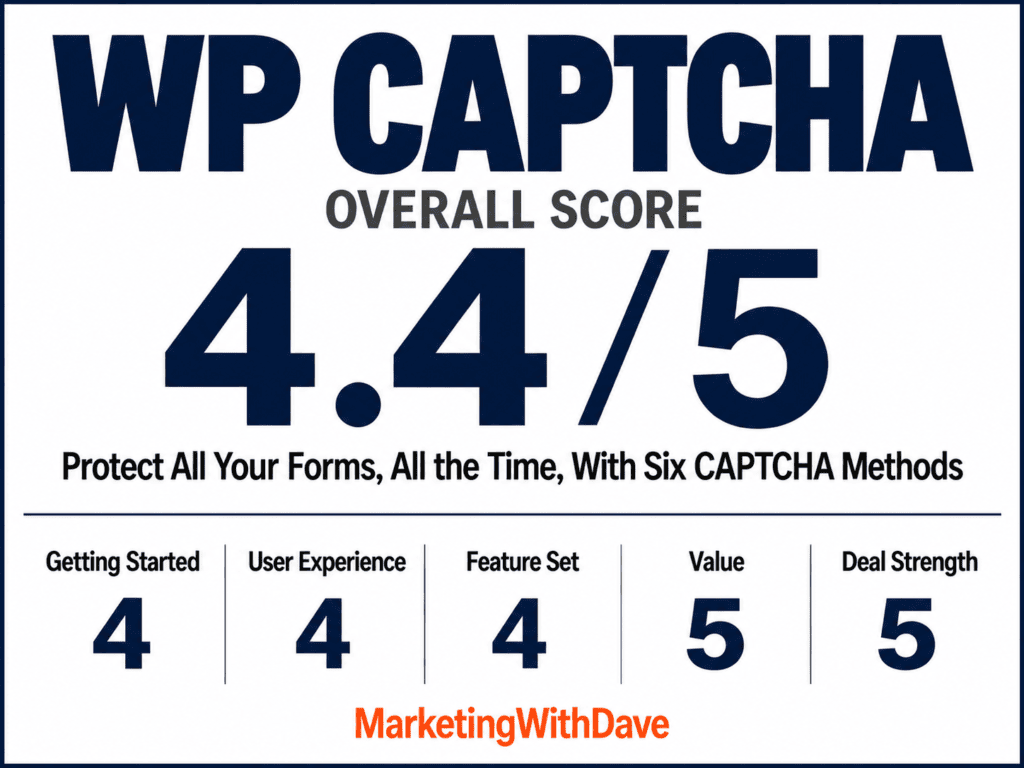
Why 4.4/5? Universal Form Captcha needed real troubleshooting, and turning on AI monitoring on Tier 1 cut me down to one website.
See the current AppSumo deal for WP Captcha
Affiliate disclosure: If you purchase through my link, I may earn a small commission at no additional cost to you. I only share tools I have used myself.
The 30-Second Decision
Buy it if: You run WordPress, hate spam, and want one plugin that covers logins, comments, forms, and extra security—without another monthly bill.
Skip it if: Your site lives on custom forms and you need zero-config protection. Test yours first.
For most site owners, $49 lifetime is cheap insurance against endless spam cleanup.
What WP Captcha Does
WP Captcha PRO (WebFactory Ltd) packs CAPTCHA plus real security tools:
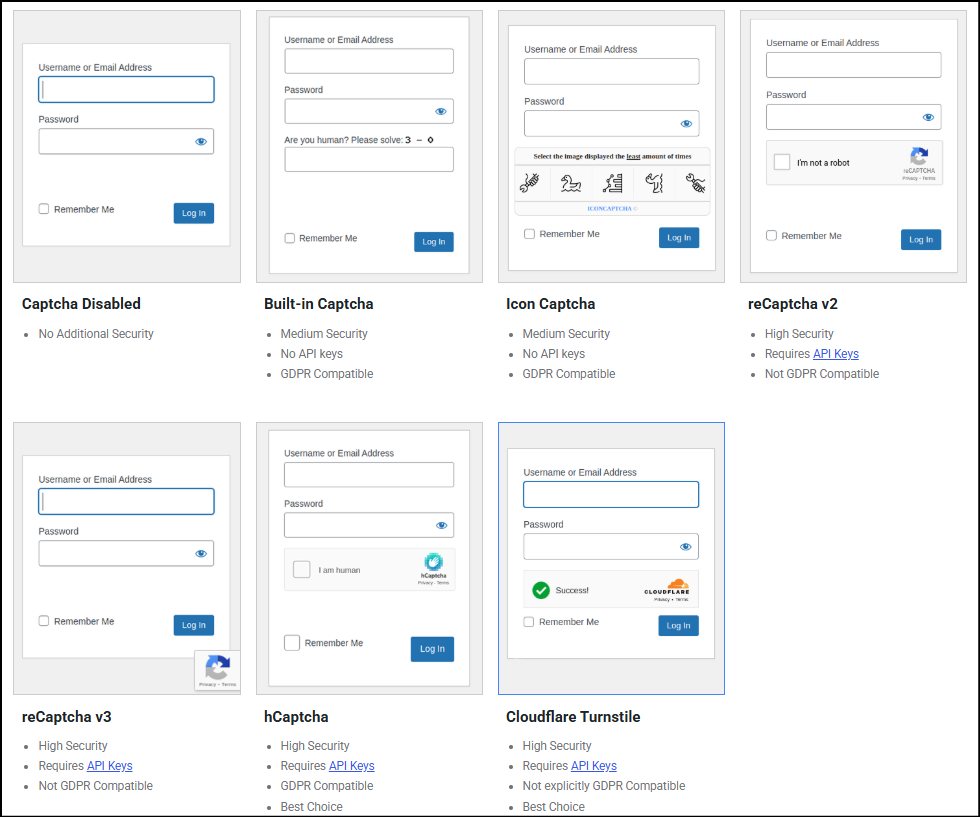
- Six CAPTCHA options: Built-in math, Icon Captcha, reCAPTCHA v2/v3, hCaptcha, Cloudflare Turnstile
- Protection for login, registration, password reset, comments, and supported third-party forms
- Universal Form Captcha for additional custom and third-party forms
- Login hardening (failed-login limits + 2FA)
- Firewall + country blocking
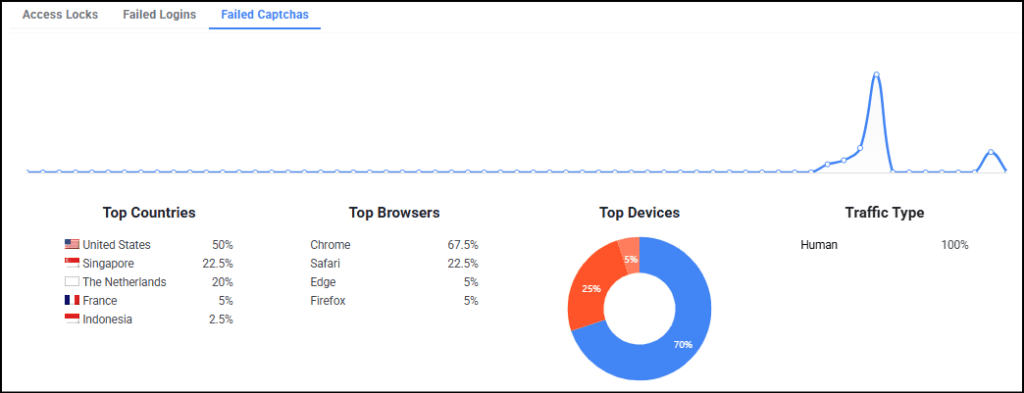
- Activity reports (failed logins, CAPTCHA fails, locks)
- Temporary access tools
- AI Security Audit
Enough to replace a few single-purpose plugins—if you need the extras.
What I Liked
1. Six CAPTCHA Methods in One Plugin
Pick one method and apply it across every form you’ve enabled. No juggling separate plugins. Built-in and Icon need no API keys. The rest (Google, hCaptcha, Turnstile) give you stronger options. I went with Turnstile.
2. Cloudflare Turnstile Protects Without Getting in the Way
Legitimate visitors barely notice it. No endless image puzzles. It just works. Since I turned it on, the spam that started this whole search has disappeared. That’s the win.
3. Activity Reporting Makes Protection Visible
Failed CAPTCHAs, logins, and locks—all visible, with trends by country, browser, device, and traffic type. You see patterns instead of guessing. Transparency matters.
4. Security Features Beyond CAPTCHA
Login protection, firewall rules, country blocks, temporary access. The interface keeps everything organized. You can consolidate security without drowning in plugins—just don’t blindly stack overlapping tools.
5. AI Security Audit Adds Another Layer of Insight
It promises pattern analysis and recommendations instead of raw logs. I’ve enabled it on MarketingWithDave.com and am waiting for enough data. If the reports deliver actionable insight, this becomes a real differentiator.
See the current AppSumo deal for WP Captcha
What I Didn’t Like
1. Universal Form Captcha Requires More Technical Setup
Standard forms? Fine. Custom forms (like my SiteSqueeze registration via admin-post.php)? You hand-enter HTML field names with zero confirmation it matched anything.
Support confirmed it worked on my normal forms but never appeared on the custom one. We never pinned down the exact conflict. Test every non-standard form yourself.
2. A PHP Error Interrupted Troubleshooting
Creating a temporary admin account for support triggered a fatal error twice from the Universal Form Captcha handler. We got past it, but security software shouldn’t throw fatals in the admin. Worth noting.
3. AI Monitoring Could Be Easier to Activate
The plugin says “enable in the dashboard.” The actual toggle lives in the separate online license portal. Took several attempts to find.
Also: enabling AI monitoring on Tier 1 dropped my website allowance to one. Confirm the exact license rules before you buy extra codes.
WP Captcha Pricing and AppSumo Tiers
Tier 1 is the sweet spot for a single site.
Tier 2 makes sense for agencies.
Higher tiers are for volume or white-label needs. Website slots and AI monitors are not fully interchangeable—check the fine print. AppSumo’s 60-day refund window lets you test your actual forms risk-free.
| Feature | Tier 1 | Tier 2 | Tier 3 | Tier 4 |
|---|---|---|---|---|
| Lifetime Price | $49 | $98 | $147 | $196 |
| Websites | 3 | 100 | Unlimited | Unlimited |
| AI Monitors | 1 | 10 | 30 | 55 |
| White Label | No | Yes | Yes | Yes |
| Plugin Rebranding | No | No | Yes | Yes |
These figures reflect the AppSumo offer reviewed. Check the current listing for any changes.
Bottom Line
If you’re still cleaning spam by hand, buy WP Captcha.
$49 lifetime gets you six CAPTCHA methods, solid coverage for standard WordPress forms, useful activity data, and a pile of extra security tools. Turnstile has been frictionless and effective on my site.
The real caveats: Universal Form Captcha needs technical work (and may still fail on some custom setups), and AI activation is clumsier than it should be. Neither kills the core value for typical WordPress sites.
Protect all of your forms, all of the time. WP Captcha gets most owners close enough—without another subscription. Test the forms that matter to you, then decide. For a normal WordPress site, this is a strong buy.
See the current AppSumo deal for WP Captcha
This content is for educational purposes and reflects my hands-on experience using the product and the information publicly available at the time of writing. Always evaluate tools based on your specific business needs, goals, and workflows before making a decision.
Looking for more marketing software reviews? See my full list of marketing tools and software I recommend.