Last updated April 2026
Image alt text still matters. Writing it manually does not.
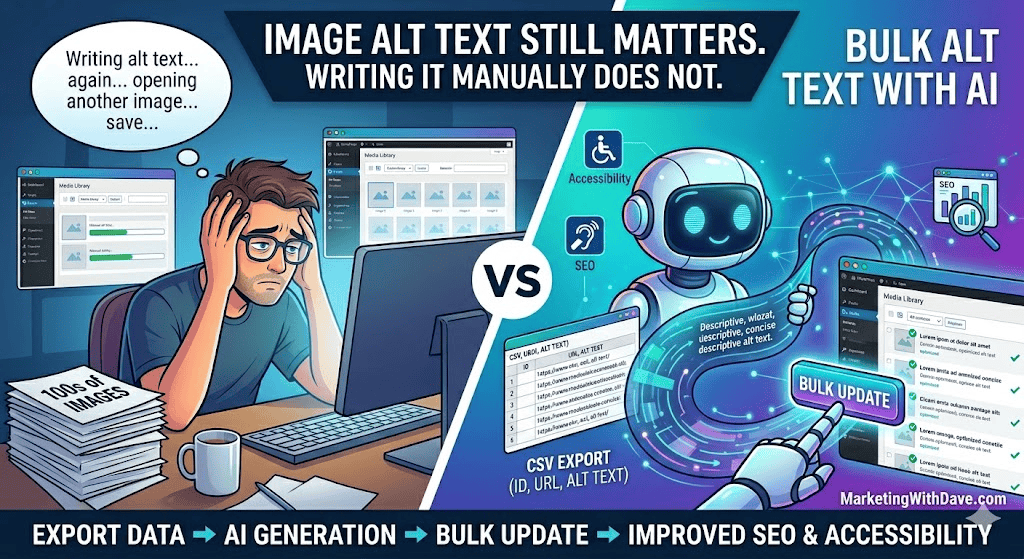
If your website has dozens or hundreds of images, opening each one individually in the Media Library is not a realistic workflow. A better approach is to export the image records you need, use AI to generate baseline alt text in bulk, review the output, and update the records back into WordPress.
This walkthrough focuses on WordPress, but the core workflow applies more broadly to any content management system that allows export, bulk processing, and structured updates. The exact tools may vary, but the process stays the same: export the right fields, generate alt text in bulk, review the results, and apply the updates cleanly.
Why image alt text still matters
Alt text serves two practical purposes.
- Accessibility. Screen readers rely on alt text to describe images to users who cannot see them.
- Image context. Search engines use image-related signals such as file names, surrounding content, and alt text to better understand what an image represents.
Alt text is not a magic search engine optimization lever by itself, but missing alt text at scale is still a quality gap worth fixing.
Why you should not be doing this manually
Most website owners and marketers do not have an alt text problem. They have a workflow problem.
The old method is to open each image, write alt text one at a time, save it, and repeat until you lose momentum. That might work for a small batch, but it does not scale when a website has years of accumulated content.
The better goal is baseline coverage at scale.
That means using AI to get from zero to good enough, then manually refining only the images that matter most, such as featured images, charts, infographics, product images, and images on high-traffic web pages.
What image fields are worth caring about
If you are exporting image-related data, keep your focus narrow. Alt text is the main field worth solving first.
- ID. This makes importing or matching updates much easier and safer.
- Image URL or file path. This usually contains the file name, which often gives AI enough context to generate a usable baseline alt text value.
- Alt Text. This is the field you want AI to fill or improve.
- Title. Optional. This can be cleaned up later, but it is lower priority than alt text.
- Caption. Optional. Only useful if captions actually appear on your web pages.
- Description. Usually not worth the effort unless you have a specific reason to maintain it.
If you want the simplest, highest-return workflow, export ID, image URL, and Alt Text.
What to export from WordPress
You do not need a perfect media export to make this work. In many cases, exporting the image data tied to posts or web pages is enough to create a strong first pass.
Your export should include these columns:
- ID
- Post title or web page title if available
- Image URL
- Existing Alt Text
- Optional fields such as Title or Caption if you want to address them later
The key requirement is simple. Your export needs to give AI enough information to infer what each image likely is, and enough structure for WordPress to match each record during the update process.
What AI is actually doing here
This method works because many website image files already contain useful context in the file name.
For example:
digital-marketing-roundup-2026-march.jpg
becomes:
Digital marketing roundup March 2026 infographic
That is not perfect human-crafted alt text, but it is far better than leaving the field blank, and it can be generated at scale quickly.
The challenge is not generating alt text. The challenge is structuring and applying it correctly.
The practical workflow
- Export the image-related records from WordPress.
- Make sure the file includes ID, Image URL, and Alt Text.
- Upload the CSV or spreadsheet to an AI assistant.
- Ask AI to generate concise, human-readable alt text for each row based on the image URL or file name.
- Review the output and flag any vague or inaccurate entries.
- Update the file back into WordPress using the most reliable method available in your setup.
- Spot check a sample of records after the update to confirm the changes worked.
How to make this work in WordPress without paid import plugins
In practice, importing alt text back into WordPress is where most workflows break.
After testing multiple approaches, the most reliable method is to update image alt text directly using a simple one-time script.
Step 1: Restructure your data
Your file must have one image per row:
imageurl, alttext
Step 2: Upload your CSV file
Upload the file to your Media Library and copy the file URL.
Step 3: Run a one-time update script
add_action('admin_init', function() {
    if (!current_user_can('manage_options')) return;

    $csv_url = 'YOUR_CSV_FILE_URL_HERE';
    $response = wp_remote_get($csv_url);
    if (is_wp_error($response)) return;

    $csv = wp_remote_retrieve_body($response);
    if (!$csv) return;

    $lines = preg_split('/\r\n|\r|\n/', trim($csv));
    if (!$lines || count($lines) < 2) return;

    $rows = array_map(function($line) {
        return str_getcsv($line, ',', '"', '\\');
    }, $lines);

    array_shift($rows);

    foreach ($rows as $row) {
        if (!is_array($row) || count($row) < 2) continue;

        $image_url = trim($row[0]);
        $alt_text = trim($row[1]);

        if (!$image_url || !$alt_text) continue;

        $attachment_id = attachment_url_to_postid($image_url);

        if ($attachment_id) {
            update_post_meta($attachment_id, '_wp_attachment_image_alt', $alt_text);
        }
    }
});
After running this once, disable the script.
Where this breaks down and how to avoid it
This is where you can lose hours if you get it wrong.
- Multiple images in a single row
Fix: Ensure one image URL per row. - Truncated image URLs
Fix: Verify full paths are intact. - Import tools blocking custom fields
Fix: Update directly via_wp_attachment_image_alt. - Mismatch with WordPress structure
Fix: Match using image URL to attachment ID. - Over-optimizing low-impact fields
Fix: Focus on alt text first. - Trying to fix everything at once
Fix: Prioritize high-impact images.
Final takeaway
Image alt text is still worth having, but the solution should be more automated than manual.
Export the data, generate a baseline with AI, apply updates cleanly, and move on.
Better coverage, less friction, and a workflow you can actually repeat.