SiteGuru Review: A Focused SEO Tool for Fixing the Website You Already Have
Not every SEO tool needs to do everything. Some help you research a market you do not fully understand yet by finding competitors, discovering keywords, analyzing backlinks, and identifying content opportunities. Others help you improve the website you already have.
SiteGuru sits primarily in the second camp.
SiteGuru is an AppSumo lifetime deal that combines technical SEO audits, content optimization, Google Search Console data, Google Analytics reporting, and prioritized recommendations inside one unusually approachable platform.
I purchased SiteGuru for MarketingWithDave.com, a content-heavy website with hundreds of published pages. I was not looking for another platform that would produce thousands of keyword ideas or encourage me to publish AI-generated content. I needed something that could help me understand what was happening across the website I already built, identify worthwhile improvements, and make those improvements dead simple to take action.
SiteGuru isn’t trying to be an all-in-one enterprise SEO platform. Instead, it focuses on helping you optimize and improve the website you already own through a thoughtful workflow that combines technical audits, content optimization, Google Search Console insights, and ongoing monitoring in one intuitive interface.
If you’re also evaluating other AppSumo SEO tools, see my independent SEO Tool Benchmark Series comparing SnowSEO, Screpy, and SiteGuru across verified features, site audits, and integrations.
See the current AppSumo deal for SiteGuru
Affiliate disclosure: If you purchase through my link, I may earn a small commission at no additional cost to you. I only share tools I have used myself.
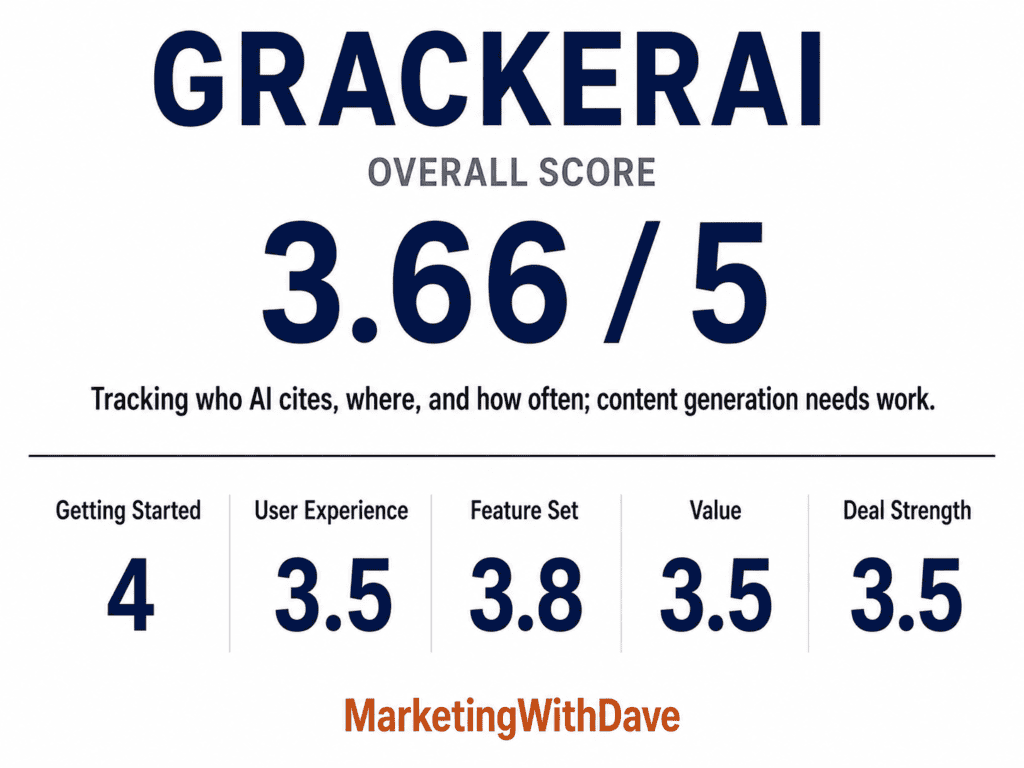
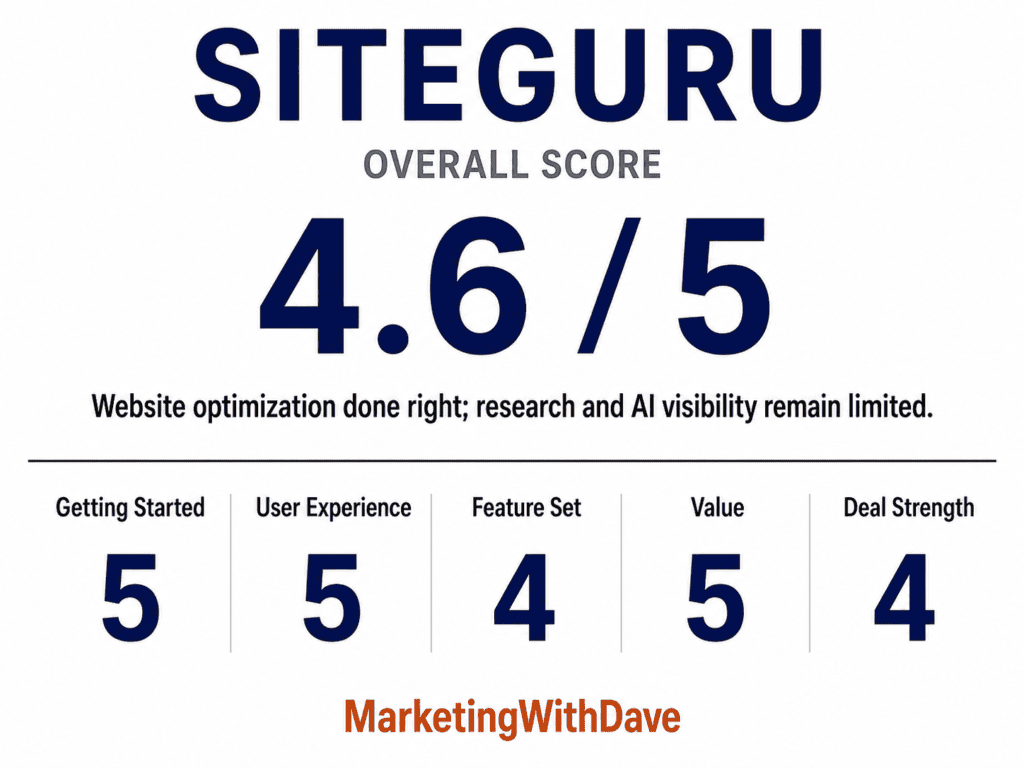
See how this score is calculated

The 30-Second Decision
SiteGuru is a strong option if you want a clear, prioritized list of improvements for an existing website, with technical audits, content checks, Google Search Console reporting, and Google Analytics data organized inside one intuitive dashboard. It is a weaker fit if your primary needs are competitor research, backlink strategy, broad keyword discovery, AI citation monitoring, or automated content creation, and it is not a realistic Semrush, Ahrefs, or enterprise replacement.
The quickest way to understand SiteGuru is this: traditional SEO research platforms help answer “what should I create or target next.” SiteGuru mostly helps answer “what should I improve on the website I already have.” That distinction doesn’t excuse every missing feature, but it explains why the product feels cohesive rather than like a bundle of unrelated SEO tools.
SiteGuru is best suited for bloggers, content publishers, small marketing teams, agencies, and business owners who want a straightforward way to improve an existing website. It’s especially valuable if you already use Google Search Console and Google Analytics, as SiteGuru builds on that data with clear, prioritized recommendations. It’s also one of the best SEO platforms for people taking SEO seriously for the first time, thanks to its intuitive interface and approachable learning curve.
SiteGuru is a weaker fit if competitor research, backlink analysis, advanced internal linking, index monitoring, or white-label reporting are core requirements, as those capabilities are either limited or not included in the base lifetime deal.
Why I Bought SiteGuru
MarketingWithDave.com has grown to hundreds of published pages. Keeping that amount of content technically healthy, properly linked, accurately indexed, and consistently optimized is not something I can reliably manage from memory or a collection of spreadsheets.
What I really wanted wasn’t another SEO crawler. I wanted a system that could continuously review the website I already built, tell me what deserved attention first, help me fix it, and confirm the issue was actually resolved. That simple workflow is where SiteGuru stands apart.
What SiteGuru Actually Does
SiteGuru brings several website optimization functions together inside one platform:
- Technical SEO audits covering broken links, redirects, canonical URLs, sitemap inclusion, indexability, structured data, OpenGraph tags, headings, alt text, and PageSpeed
- Content optimization covering titles, meta descriptions, focus keywords, headings, and internal competition (keyword cannibalization)
- Google Search Console reporting covering keyword positions, impressions, clicks, new keywords, lost keywords, and branded traffic
- Google Analytics reporting covering traffic sources, top pages, and referral traffic, including AI assistant traffic
- Ongoing monitoring through page timelines, recent activity tracking, and weekly emails
- Multi-site organization through customizable reports, multiple websites per account, exports, and custom fields
My Experience With SiteGuru
SiteGuru may have the best user experience of any marketing platform I’ve used.
That sounds like a bold statement considering I’ve evaluated hundreds of marketing tools over the years, but the interface deserves it. Every report seems to exist for a reason, every navigation choice feels intentional, and instead of overwhelming me with data, the product organizes SEO into a workflow that’s surprisingly easy to follow.
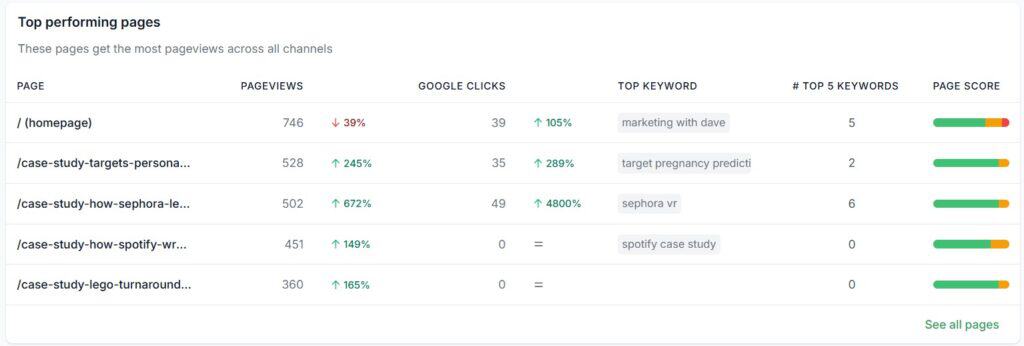
That clarity shows up most in how I actually work through the tool. My typical workflow looks like this: I find an issue in the audit, open the affected page, use an AI-generated suggestion when one is offered, make the change in WordPress, then go back into SiteGuru and ask it to verify the fix. That find, fix, and verify loop is the main reason SiteGuru feels like more than another website crawler, and it’s the biggest reason I keep coming back to it instead of letting audit findings pile up unaddressed.
The Find, Fix, and Verify Workflow in Practice
Broken-link reporting was my favorite example of this loop working well. SiteGuru shows exactly where a broken link occurs on the page, not just that one exists somewhere on the site. I can make the correction, then ask SiteGuru to recheck the page and confirm the fix landed.
I’ve used the same loop to improve weak page titles: SiteGuru flags the issue, offers an AI-generated suggestion, I implement it in WordPress, and the page-level report reflects the update once I ask it to check again.
This workflow sounds simple, but it’s surprisingly rare. Many SEO tools excel at finding problems. Far fewer make fixing them feel this organized.
Technical and Page-Level SEO Audits
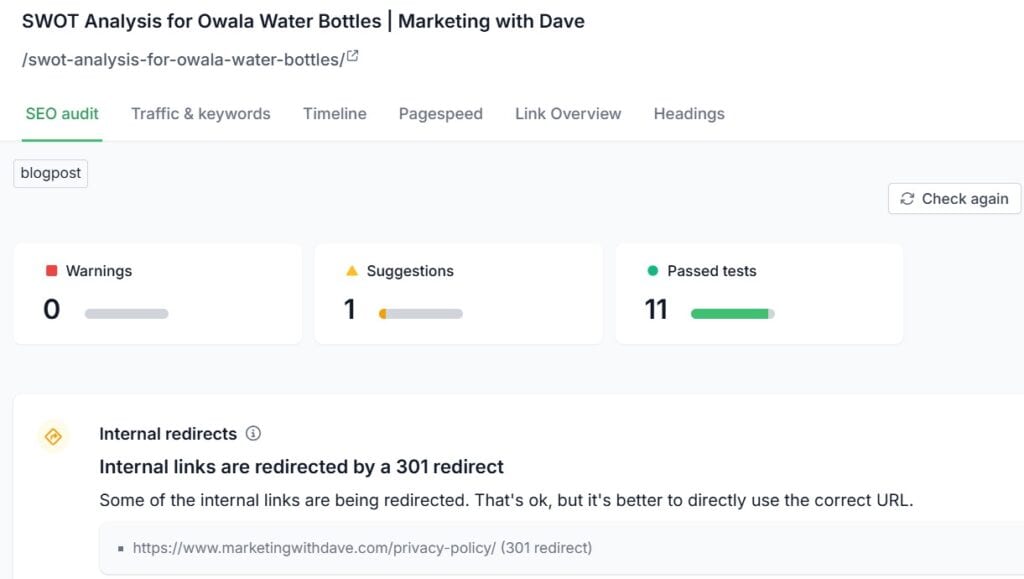
SiteGuru’s page-level reporting is one of the strongest parts of the platform. Each URL combines SEO audit findings, traffic and keyword data, page timeline, PageSpeed score, link overview, and heading structure in one place. Instead of jumping between half a dozen reports, nearly everything I need to understand a page lives in one place
The audit checks areas such as meta descriptions, page titles, canonical URLs, indexability, sitemap inclusion, internal redirects, image alt text, structured data, OpenGraph tags, internal links, headings, and PageSpeed. I also like that SiteGuru displays passed tests alongside warnings and recommendations, which gives useful confirmation that those areas were actually checked rather than silently skipped.
PageSpeed Reporting
SiteGuru makes it easy to identify which pages have weak PageSpeed scores and group them by severity, which is useful for deciding where performance work is needed. It does not replace Google PageSpeed Insights or Lighthouse for deeper diagnosis of specific Core Web Vitals, JavaScript, image, or server issues. SiteGuru answers “which pages deserve attention.” Google’s tools still answer “why is this specific page slow.”
Search Insights and Keyword Reporting
SiteGuru’s keyword reporting is built around Google Search Console data rather than a proprietary keyword database, organized into reports that are considerably easier to act on than scrolling through a raw GSC export. The Search Insights section includes All Keywords, Tracked Keywords, New Keywords, Low-Hanging Fruit, Lost Keywords, and Branded Keywords.
The reports themselves aren’t revolutionary. The organization is. SiteGuru takes information that already exists inside Google Search Console and reorganizes it into workflows that are dramatically easier to act on.
Low-Hanging-Fruit Keywords
This report highlights keywords and pages already close to stronger rankings, connecting each opportunity to a page-level checklist instead of making me manually filter thousands of Search Console queries. It’s one of the more practical reports because it focuses on improving positions I already have rather than chasing new topics.
New and Lost Keywords
New Keywords shows terms the site recently began ranking for, with impressions, clicks, positions, and the top associated page. Lost Keywords shows the opposite: terms that disappeared or declined, along with how many impressions and clicks they previously generated. Not every lost keyword deserves action, since Search Console often surfaces low-volume or loosely related queries, but the report is useful for spotting meaningful changes that might otherwise get buried in GSC.
Branded and Non-Branded Traffic
SiteGuru makes it easy to define branded terms and separate branded from non-branded search performance, showing clicks, top keywords, top pages, and performance over time for each. This is especially helpful for understanding whether organic traffic is reaching new audiences or mostly capturing people who already know the brand.
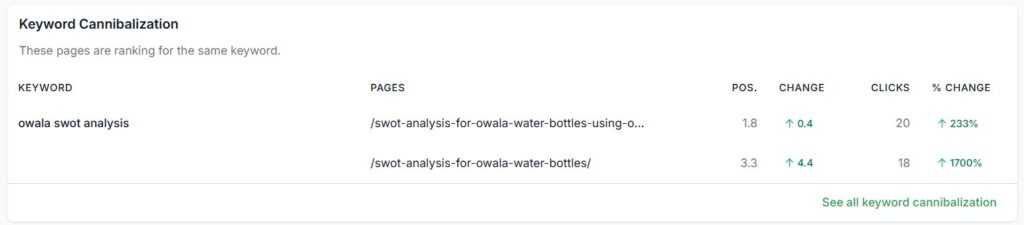
Keyword Cannibalization
SiteGuru also includes a keyword cannibalization report to identify multiple pages ranking for the same keyword. My report didn’t surface current cannibalization issues during testing, but it’s a valuable report to have available on a site with hundreds of articles and overlapping topic clusters.
Growing and Declining Content
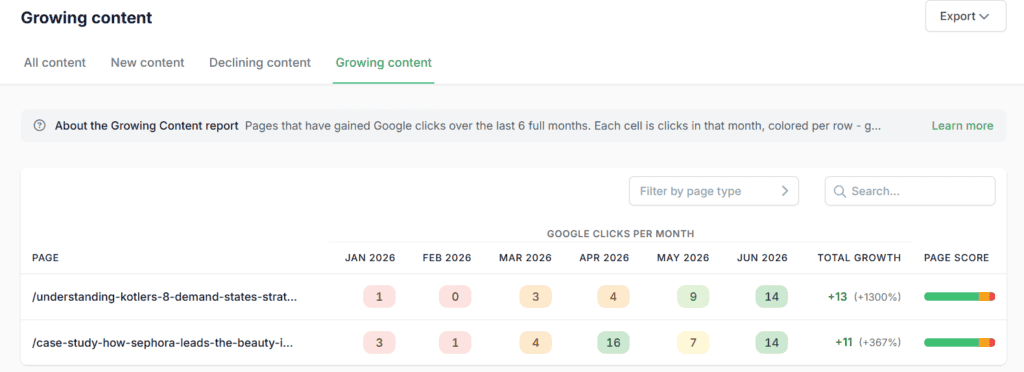
The Growing Content and Declining Content reports give a six-month view of individual page performance, with monthly clicks displayed across each row and color changes that quickly reveal momentum. It’s a much faster way to spot a page gaining or losing traction than scanning a raw export.
One frustration: the New Content report, which tracks newly published pages, sits behind the paid Pro add-on. Since it’s based on the website’s own content rather than external data, it feels like a natural extension of the Growing and Declining reports rather than a separate paid tier.
The Google Update Report
This is one of the most distinctive features I found inside SiteGuru. You can select from a dropdown of Google algorithm updates going back to 2023 and compare website performance before and after the selected update, including Google clicks, impressions, organic search sessions, total visits and users, a visibility timeline, and both declining and winning pages.
I haven’t seen many SEO platforms make Google update analysis this approachable. SiteGuru is also careful to note that correlation doesn’t prove the update caused the change, since competition, seasonality, and publishing activity can all play a role. That caveat makes the report more credible, not less useful.
See the current AppSumo deal for SiteGuru
Traffic Acquisition and AI Referral Reporting
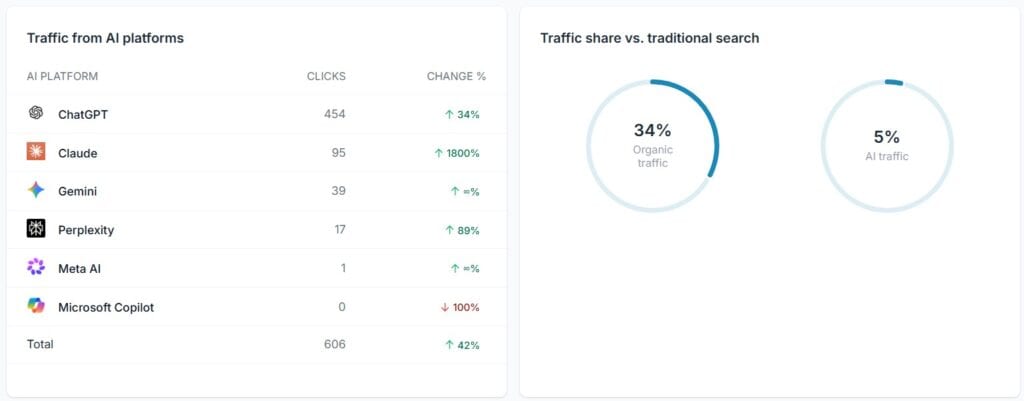
SiteGuru’s Google Analytics integration brings direct traffic, organic search, AI assistants, organic social, referral traffic, and individual platforms and sources into the same reporting environment. It’s more than a technical SEO dashboard; it gives a practical view of how search, social, referrals, and AI traffic fit together.
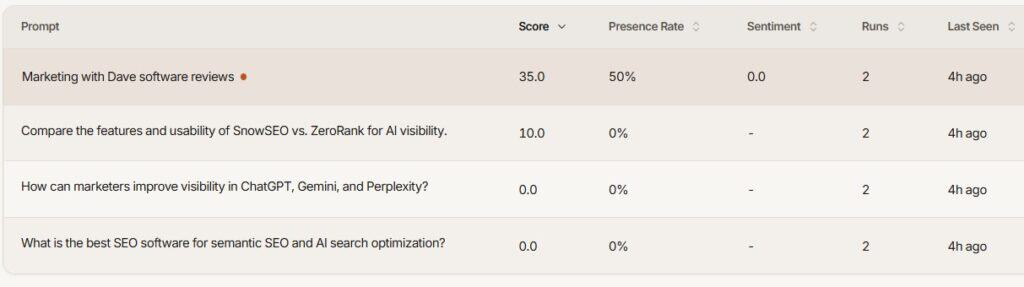
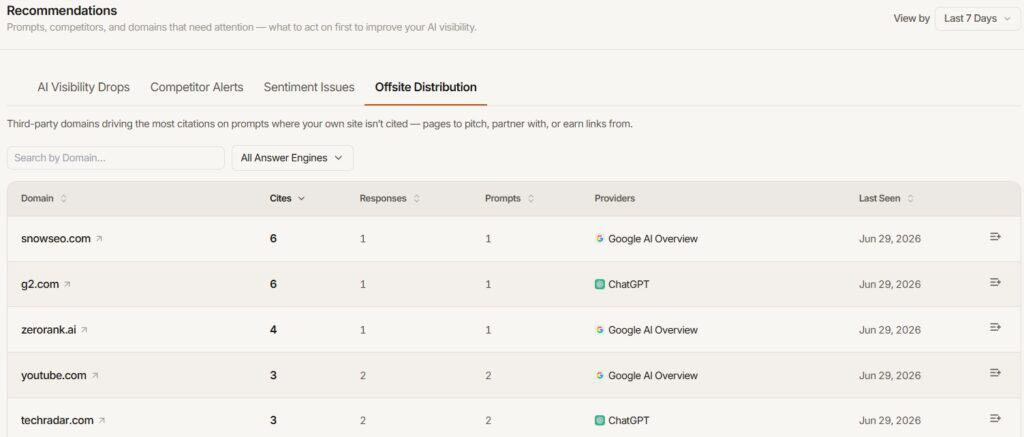
AI Visibility: Useful Referral Data, Not Full Visibility Tracking
One thing I found refreshing was the founder’s candor about AI visibility. In the AppSumo Q&A, he openly questioned whether today’s AI visibility tools can reliably measure and report AI search visibility. Whether you agree with that position or not, I appreciate that SiteGuru hasn’t rushed to add flashy AI metrics simply because the market expects them. Instead, the platform focuses on measurable referral traffic from AI assistants while taking a more conservative approach to broader AI visibility reporting.
That doesn’t mean the feature is complete. If you’re looking for custom prompt tracking, citation monitoring, representation analysis, or competitive AI visibility monitoring, dedicated platforms like ZeroRank currently provide much deeper functionality. SiteGuru’s AI reporting is useful, but today it’s best viewed as referral analytics rather than a comprehensive AI visibility platform.
As someone who spends a lot of time evaluating AI visibility tools, I appreciated that SiteGuru resisted inventing metrics it couldn’t confidently measure.
Weekly Email Insights
SiteGuru sends regular email summaries surfacing clicks, sessions, top pages, top keywords, and low-hanging-fruit opportunities. There’s nothing revolutionary about the emails individually; their value is behavioral. One thing I didn’t expect was how effective the weekly emails were. They aren’t flashy. They’re simply good at bringing me back into the product with something worth fixing. That ongoing engagement is a big reason I expect SiteGuru to stay part of my regular workflow.
Page Timelines and Recent Activity
SiteGuru tracks recent website activity, including newly discovered pages, removed pages, and title changes, and connects those events to individual URLs. Most SEO tools tell you what problems currently exist. SiteGuru also does a good job of showing what recently changed, which becomes increasingly useful as a website grows.
Custom Fields and Multi-Site Organization
Custom Fields let you add your own business data to websites in the account and display selected fields inside the advanced dashboard, such as monthly software or hosting costs, hosting provider, CMS platform, client owner, contract dates, renewal dates, account priority, or internal notes. This is less important for someone managing one website, but potentially valuable for an agency or marketer responsible for a portfolio of sites. Data can be entered manually or uploaded through a CSV or Excel file.
Site Architecture and Site Tree
The Site Tree provides a visual representation of how pages are organized and connected across the website. It’s not a report I expect to open every day, but it’s a useful alternative to analyzing site architecture through a spreadsheet or raw crawler export, and it can help identify unusually deep content, isolated sections, or structural patterns worth reviewing on larger websites.
Focus Keywords and the Missing WordPress Integration
The Focus Keywords feature initially interested me. SiteGuru suggests relevant queries based on Search Console data, lets you select important terms, and creates a practical checklist intended to improve the page’s ranking for that keyword.
The weakness is workflow duplication. SiteGuru does not integrate with WordPress SEO plugins such as Yoast, and support told me that integration is not currently planned. I already maintain focus keyphrases inside Yoast, so manually recreating a second keyword database inside SiteGuru across hundreds of pages isn’t especially appealing. The feature still has value for users who don’t maintain focus keywords elsewhere, but a Yoast, Rank Math, or AIOSEO integration would make it considerably more useful for WordPress publishers.
What SiteGuru Does Not Include
Buyers shopping for an SEO platform deserve a clear understanding of what’s missing, regardless of how SiteGuru positions itself.
No Traditional Competitor Research in the Lifetime Deal
SiteGuru is not designed to reverse-engineer competitor traffic, keyword portfolios, backlink profiles, or content strategies the way Semrush or Ahrefs does. Competitor analysis is included in the optional Pro add-on, but it remains much lighter than a dedicated competitive research platform. Competitor awareness is a legitimate part of SEO even for a focused optimization tool, and it’s an area I’d like to see continue developing.
No Broad Keyword Discovery
SiteGuru organizes keywords from Google Search Console and allows you to add terms manually. It doesn’t function as a traditional keyword discovery database with search volume, difficulty, related-query, or market research capabilities. The reports are useful for understanding what the site already ranks for, and much less useful for discovering opportunities outside your current search footprint.
The Optional Pro Add-On
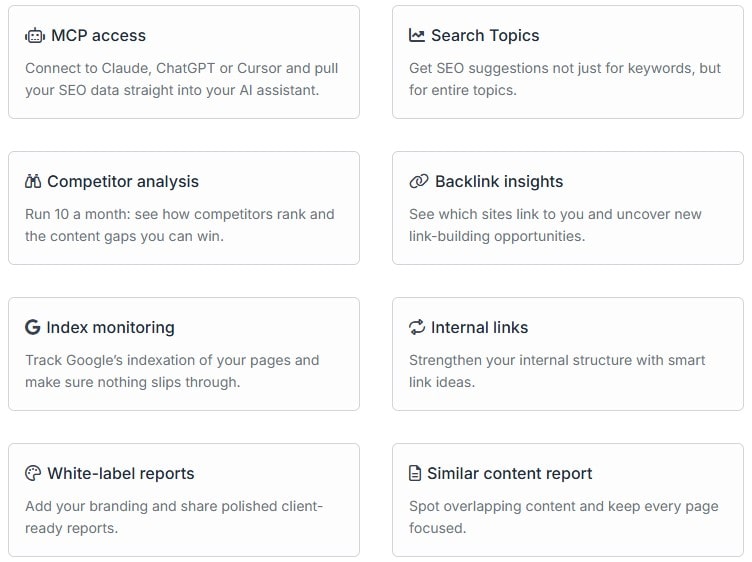
Several additional features are available through a separate Pro add-on that normally costs $29 per month: MCP access, Search Topics, competitor analysis, backlink insights, index monitoring, internal-link suggestions, white-label reports, and the Similar Content report.
Some of this makes sense as a recurring cost. Backlink databases, competitor research, AI processing, and external search data can carry genuine ongoing infrastructure and licensing costs, so including unlimited access inside a one-time lifetime purchase may not be economically practical. The paywall feels more frustrating when a feature is closely tied to the website optimization workflow already included in the base deal.
The features I most wish were part of the lifetime deal:
- Internal-link suggestions, because improving internal structure is one of the most valuable and time-consuming tasks on a large content website
- Index monitoring, because confirming that important pages remain indexed feels closely connected to ongoing website health
- The New Content report, because monitoring newly published content is a natural extension of the included Growing and Declining Content reports
To be clear, the lifetime deal isn’t completely missing internal-link reporting. SiteGuru checks whether pages receive internal links and identifies certain internal-link conditions in the base deal. What requires the Pro add-on is the smart recommendation engine that identifies specific linking opportunities.
Exports and Reporting
Most SiteGuru reports can be exported as CSV or XLSX files, which lets me sort and filter data outside the platform, combine reports with other SEO datasets, share findings with someone else, analyze larger groups of pages with spreadsheets or AI tools, and keep historical snapshots. The base lifetime deal includes customizable reports, but fully white-labeled reports belong to the Pro add-on.
What I Liked and What Needs Work
| What I Liked | What Needs Work |
|---|---|
| Exceptionally intuitive interface | |
| Clear, prioritized recommendations | No broad keyword discovery database |
| Fast find, fix, and verify workflow | Internal-link suggestions require the Pro add-on |
| Strong page-level optimization reports | Index monitoring requires the Pro add-on |
| Google Update Report is unusually useful | No WordPress or Yoast integration for Focus Keywords |
| Growing and Declining Content reports are easy to understand | Occasional false positives require manual verification |
| Weekly emails keep me engaged | Backlink insights are weak without the paid add-on |
| Most reports support CSV or XLSX export | AI Visibility is limited to referral reporting |
| Custom Fields are valuable for multi-site management | New Content, Search Topics, and Similar Content are gated |
| Same core features across AppSumo tiers | Base reports are customizable but not fully white-labeled |
Pricing and AppSumo Plans
The SiteGuru AppSumo lifetime deal starts at $79 for one website and 500 pages, with higher tiers increasing the number of websites and pages available.
Every AppSumo tier receives the same core feature set. Higher tiers purchase additional capacity rather than unlocking a less restricted version of the software, which is a fairer structure than deals where the entry tier is heavily limited.
SiteGuru vs Semrush, Ahrefs, and Enterprise SEO Platforms
If you’re hoping SiteGuru replaces BrightEdge, Semrush, Ahrefs, or another complete SEO platform in one inexpensive AppSumo purchase, it won’t satisfy that expectation today, and that’s true of most lifetime SEO deals. SiteGuru currently represents a subset of a larger SEO stack:
| Need | SiteGuru Fit |
|---|---|
| Technical website audits | Strong |
| Page-level optimization | Strong |
| Search Console reporting | Strong |
| Google Analytics reporting | Strong |
| Ongoing website monitoring | Strong |
| Content performance reporting | Strong |
| Competitor intelligence | Limited |
| Keyword discovery | Limited |
| Backlink research | Limited without Pro |
| Internal-link suggestions | Pro only |
| AI citation and prompt monitoring | Limited |
| AI content generation | Not included |
SiteGuru makes more sense as part of an SEO toolkit than as a replacement for every tool inside that toolkit.
Bottom Line
SiteGuru helped me realize something I’ve been missing in SEO software.
The goal isn’t to collect more reports.
The goal is to consistently improve the website you already have.
That’s what SiteGuru does exceptionally well. It organizes technical SEO, content optimization, Search Console reporting, Google Analytics, and page-level recommendations into a workflow that keeps pulling me toward the next meaningful improvement instead of another dashboard.
It’s not the most comprehensive SEO platform I’ve used, and it doesn’t replace competitor intelligence, keyword research, or backlink analysis. What it does provide is one of the clearest and most usable systems I have found for improving a content-rich website. The interface is excellent, the recommendations are understandable, the page-level workflow makes implementation easy, the weekly emails keep me engaged, and the Google Update Report provides context I haven’t seen presented this cleanly elsewhere.
Some functionality is genuinely missing, and other capabilities require the optional Pro subscription, most notably internal-link suggestions and index monitoring, which is the part of the deal I’d most like to see change. Buyers should understand those boundaries before purchasing. But SiteGuru succeeds at the job it’s most committed to: helping website owners identify what needs improvement, complete the work, and verify that it was fixed. For a content-heavy website like mine, that’s enough to make it one of the strongest website optimization tools I’ve found on AppSumo.
See the current AppSumo deal for SiteGuru
This content is for educational purposes and reflects my hands-on experience using the product and the information publicly available at the time of writing. Always evaluate tools based on your specific business needs, goals, and workflows before making a decision.
Looking for more marketing software reviews? See my full list of marketing tools and software I recommend.
SiteGuru Review: A Focused SEO Tool for Fixing the Website You Already Have Read More »