Last updated August 2026
Most social media management tools promise the same thing: schedule posts, manage multiple accounts, analyze performance, save time.
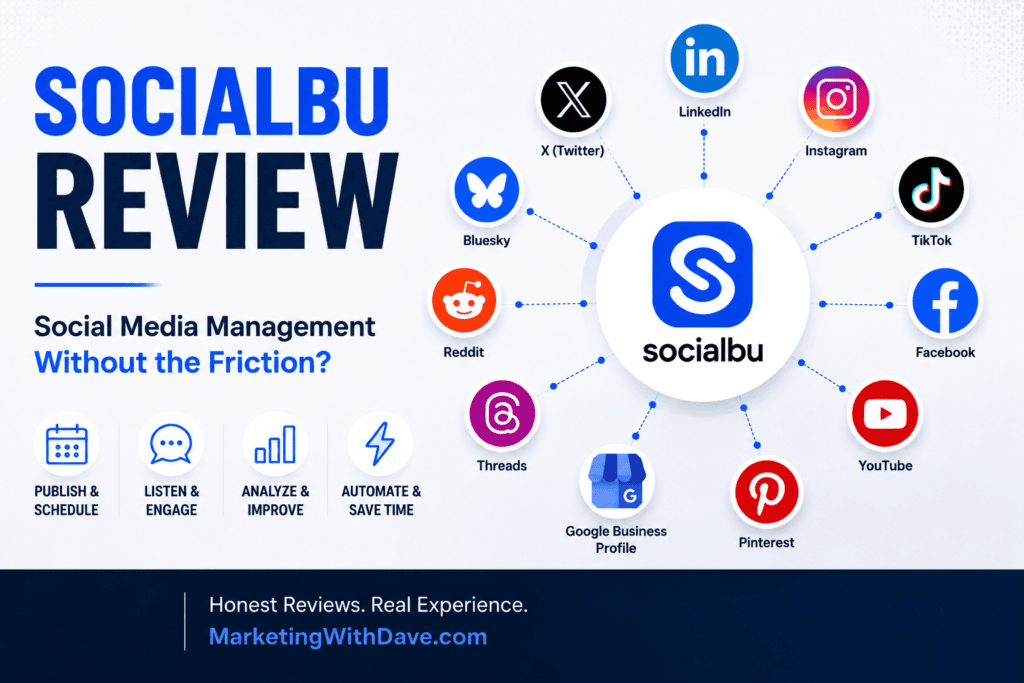
SocialBu checks those boxes. It publishes to 12+ platforms and bundles scheduling, custom queues, evergreen recycling, social listening, analytics, AI assistance, and automation.
But feature count isn’t what sold me. What sold me is how closely SocialBu matches what I need a social media platform to do.
I’ve bought other social media tools and stopped using them. Not because they were bad, but because the extra steps and clutter made it easier to just publish directly on the platforms. No matter what a tool can do, if you don’t like using it, you likely won’t.
SocialBu is the first one that’s changed that math for me.
SocialBu Overall Score
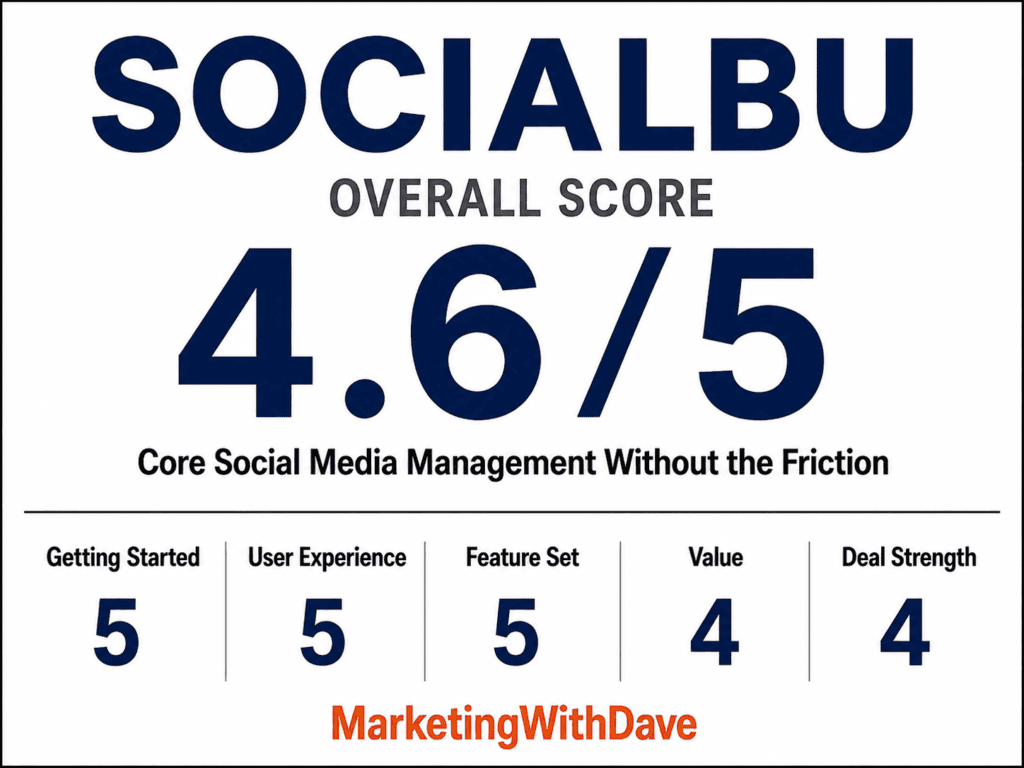
Why 4.6/5: SocialBu nails the core social media management experience, but some of its most valuable features require Tier 2.
See the current AppSumo deal for SocialBu
Affiliate disclosure: If you purchase through my link, I may earn a small commission at no additional cost to you. I only share tools I have used myself.
The 30-Second Decision
Buy SocialBu if: You want one clean place to publish and schedule across multiple networks, plus solid social listening, custom queues, evergreen recycling, analytics, and automation. Especially strong if X matters to you and you need links in your posts.
Skip it if: You need contests and sweepstakes, advanced campaign management, native eCommerce product automation, or built-in AI that auto-repurposes posts across platforms.
SocialBu isn’t interesting because it schedules posts. Plenty of software does that. It’s interesting because it handles the real workflow without making the basic job harder.
What SocialBu Does
SocialBu is an all-in-one platform built around publishing, scheduling, monitoring, engagement, analytics, and automation.
- Scheduling across 12+ social networks
- Drag-and-drop social calendar
- Bulk post importing via CSV
- Evergreen content recycling
- Custom publishing queues
- Multiple brand and workspace management
- Built-in analytics
- Social listening
- AI-assisted content creation
- Automations
- Google Drive integration
- Chrome browser extension
Supported networks include LinkedIn, Instagram, TikTok, Facebook, YouTube, Pinterest, and X.
That’s a wide feature set. But the features that stood out to me weren’t the flashy ones.
What I Liked
1. You Can Actually Include Links in X Posts
Oddly specific place to start, but if you know, you know it matters.
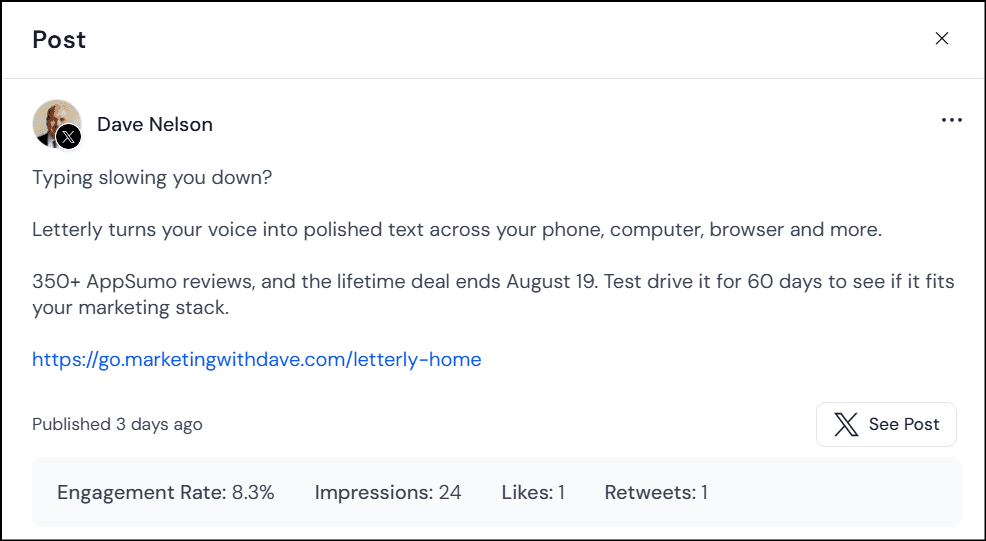
SocialBu allows links directly in X posts. I published an X post with one of my own links, no workaround needed.
That’s a bigger deal than it sounds. I use social media to push out articles and software reviews, so a scheduler that fights me on linking back to my own content isn’t worth much.
Competing tools stumble here. RobinReach strips URLs from X posts entirely because of API costs. Sociamonials blocks direct X links on lower plans, though it offers a workaround via the first comment.
SocialBu just let me post the link where I wanted it. That should be table stakes. Right now, it isn’t.
2. Social Listening Goes Deeper Than Expected
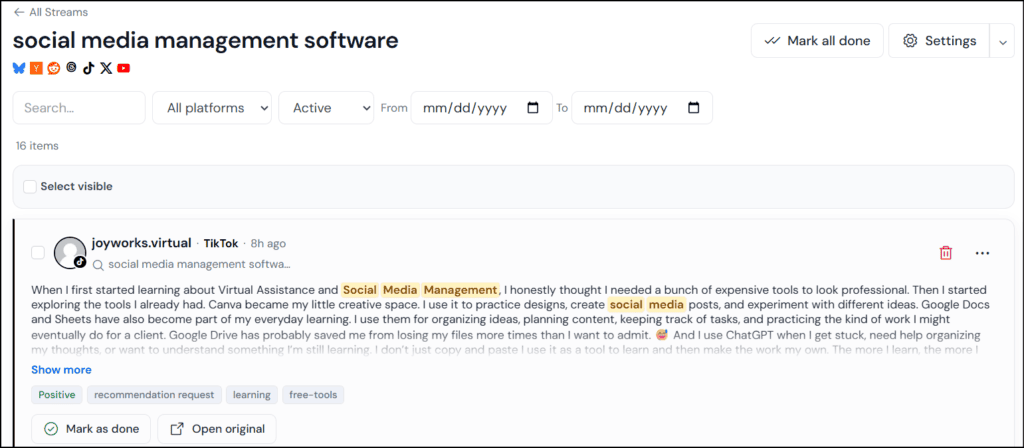
SocialBu calls this feature Listen. You create streams around keywords or phrases, and it surfaces matching conversations across:
- Bluesky
- Hacker News
- Threads
- TikTok
- X
- YouTube
Track your company name, competitors, industry topics, or buying-intent phrases like “looking for a social media management tool” or “alternatives to [competitor].” That turns Listen into a lead and engagement discovery tool, not just brand monitoring.
SocialBu adds AI filtering, sentiment analysis, and AI-generated tags to cut through the noise. Streams filter by platform, status, text, and date range. You can jump to the original conversation, engage on the source platform, and mark items done. Daily email digests summarize new activity so you’re not babysitting the dashboard.
I especially like that individual streams can expose an RSS feed, which opens up options beyond the SocialBu dashboard itself.
Social listening is usually gated behind premium or enterprise pricing. Getting this much of it inside a lifetime deal makes Listen one of SocialBu’s standout features.
3. Automations Go Beyond Scheduling
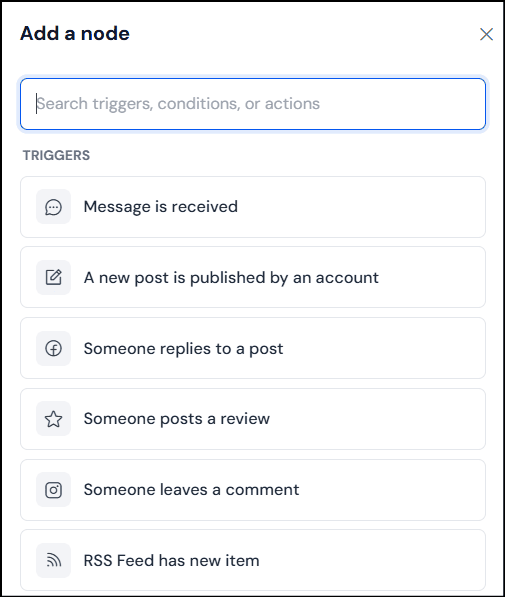
The workflow is simple: Trigger → Conditions → Actions. What’s interesting is the range.
Triggers include a new message, a new post from a connected account, a Facebook reply or review, an Instagram comment, a new RSS item, or a webhook.
Actions include sending a reply or email, publishing a post, adding a post to a queue, or firing an HTTP request to another app.
Add conditions, and you can automatically drop new blog posts from an RSS feed into a publishing queue, or get emailed when a specific interaction happens. The HTTP request action is the real unlock, it opens the door to connecting SocialBu with tools outside the platform.
I haven’t stress-tested every automation combination, so I won’t vouch for rock-solid reliability yet. But the ceiling here goes well past basic RSS-to-social posting.
4. The Chrome Extension Fits My Actual Workflow
Not a flashy feature, but a useful one. When I find something worth sharing while browsing, I start the post right there instead of copying the URL, opening SocialBu, and starting over.
It’s a small friction reduction. But social media management is hundreds of small repeated actions, and cutting a few steps out of each one adds up.
5. Clean Interface, Not a Stripped-Down One
I’ve used tools with impressive feature lists that I hated opening. That’s a real problem in a category you might live in daily.
SocialBu’s interface is clean. Publishing doesn’t feel cluttered, navigation makes sense, and it doesn’t dump every feature onto one screen just to prove it has them.

Even small details are handled well, like an emoji library in the post composer that actually includes things I use, numbered icons and bullet-style symbols included. Not a selling point on its own, but a sign someone thought about the daily experience.
A time-saving tool has no value if you don’t want to use it.
SocialBu is different. Clean interface, straightforward publishing, working X links, a Chrome extension that fits how I actually find content, and listening and automation that add real function without complicating the basics.
It’s not doing everything competing tools do. It’s doing a better job of staying out of my way while I do what I need to do.
See the current AppSumo deal for SocialBu
Where SocialBu Fits Against Other AppSumo Social Media Tools
I’ve also tested RobinReach and Sociamonials, and both take different approaches.
RobinReach leans into AI content repurposing. It can adapt a post written for one network into a version for another. SocialBu doesn’t do this automatically. I tested it by selecting LinkedIn and X for the same post; the LinkedIn draft blew past X’s character limit, and SocialBu told me exactly how many characters over I was but left the trimming to me.
Some will call that a missing feature. I don’t mind. I already have AI tools I prefer for writing and shortening copy, same goes for images. RobinReach also has stronger native eCommerce workflows for turning Shopify, WooCommerce, and Etsy activity into social content.
Sociamonials goes a different direction: contests, sweepstakes, giveaways, Social CRM, campaign funnels, approval workflows, and deeper campaign reporting. Legitimate advantages, but specialized ones.
If you run contests, manage promotional campaigns, need advanced eCommerce automation, or want your tool handling AI repurposing, SocialBu isn’t the strongest pick. Those aren’t the things that kept me from using social media software, though. Friction was. That’s why SocialBu works for me, it feels like a focused platform, not a pile of adjacent marketing features.
Want the deeper comparison? RobinReach vs Sociamonials: Which Social Media Management Lifetime Deal Is Worth Buying?
What I Didn’t Like
1. X Reposting Didn’t Work
SocialBu offers a repost option for previously published content. I tested it on X, and instead of reposting, it threw a duplicate-content error.
To be fair, plenty of tools label “publish the same content again” as a repost, which isn’t the real thing either. But if SocialBu shows a Repost button, I expect it to repost. It didn’t in my test. I’ll revisit this as the feature gets updated.
2. Some Best Features Are Locked to Tier 2
Tier 1 is generous for publishing, but Automations and the Social Inbox don’t start until Tier 2.
If you just want centralized publishing and scheduling, Tier 1 covers it. If Automations or the Social Inbox are part of the appeal, Tier 2 is worth the jump.
SocialBu Pricing and AppSumo Tiers
SocialBu is currently on AppSumo with three lifetime tiers.
| Feature | Tier 1 | Tier 2 | Tier 3 |
|---|---|---|---|
| Lifetime Price | $49 | $109 | $279 |
| Social Accounts | 10 | 25 | 75 |
| Posts Per Month | 600 | 1,200 | 3,600 |
| Custom Queues | 8 | 18 | 60 |
| AI Writer Credits / Month | 500 | 1,000 | 2,000 |
| Teams | 1 | 3 | 10 |
| Automations | 0 | 30 | 150 |
| Social Inbox | No | Yes | Yes |
All three tiers include core publishing, Google Drive integration, the social calendar, bulk importing, and multi-brand management.
Tier 1 at $49 is unusually generous for pure publishing and scheduling. Ten accounts and 600 posts a month covers most solo marketers and small businesses.
But Tier 2 is the smarter long-term buy. For $60 more, you get 15 additional accounts, double the post allowance, more queues and AI credits, and, most importantly, 30 automations and the Social Inbox.
Think of SocialBu as a scheduler, and Tier 1 works fine. Think of it as the center of your social workflow, and Tier 2 is worth it.
AppSumo’s 60-day money-back guarantee gives you time to connect real accounts and confirm SocialBu fits your workflow before committing.
Bottom Line
SocialBu isn’t the most feature-packed social media tool I’ve tested, and that’s part of the appeal.
RobinReach has stronger content repurposing and eCommerce automation. Sociamonials has contests, Social CRM, and deeper campaign tools. Those matter for some use cases. But what I want from a core social media platform is simpler: make publishing easy, let me organize content, help me monitor conversations, give me useful analytics, automate the repetitive stuff, and stay out of my way.
SocialBu gets remarkably close. When a LinkedIn post runs too long for X, it tells me instead of rewriting it for me, and that’s fine, I have AI tools I prefer for that job. And it lets me publish links directly in X posts, which is rarer than it should be.
The best compliment I can give SocialBu: it’s a social media tool I actually open. Not because it does everything, but because it does what I care about without getting in the way.
Interested in trying SocialBu?
See the current AppSumo deal for SocialBu
This content is for educational purposes and reflects my hands-on experience using the product and the information publicly available at the time of writing. Always evaluate tools based on your specific business needs, goals, and workflows before making a decision.
Looking for more marketing software reviews? See my full list of marketing tools and software I recommend.